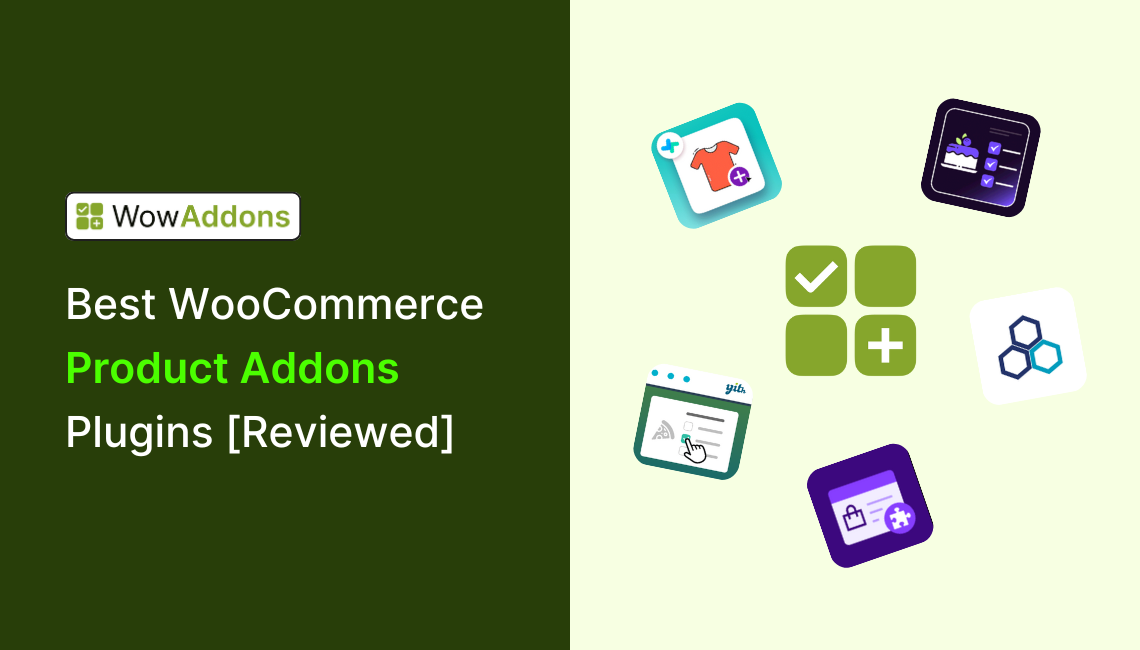
In 2026, several WooCommerce product addons plugins stand out for flexibility and ease of use, including options from well-known developers and newer all-in-one solutions. The best choice depends on your store’s needs – whether that’s simple customization, advanced conditional logic, dynamic pricing, or a balance between free features and premium power.
Here are the leading options, with their strengths:
WowAddons: A modern all-in-one product addons plugin with 25+ addon fields, drag-and-drop builder with live preview, dynamic add-on pricing, and built-in upsell/cross-sell features. It also offers a strong free plan and affordable lifetime licenses.
WooCommerce Product Options by Barn2: A plugin that transforms standard WooCommerce product pages into fully customizable shopping experiences, with 16+ field types (checkboxes, radio buttons, file uploads, color/image swatches, etc.)
YITH WooCommerce Product Add-Ons: A good set of features, with file uploads, visual selectors, conditional rules, and integration with other YITH tools. Designed for advanced users who want deeper customization.
PH WooCommerce Product Add-Ons: A decent option focused on text/image fields and dynamic price calculations. Ideal for engraving, text-based pricing, or multilingual stores.
👉 Overall winner: For most WooCommerce stores in 2026, WowAddons offers the best balance of features, usability, and pricing flexibility, especially with its lifetime 25-site plan and powerful free version.
Pricing Comparison: Which Product Addons Plugin is the Most Budget-Friendly?
Before examining each plugin in detail, it helps to compare their licensing costs. Some plugins offer a free version, while others provide lower yearly prices, multi-site licenses, or lifetime plans that may cost less over several years.
The table below compares their regular prices:
| Plugin | Free Plan | Paid Plan (yearly)* | Lifetime Plan* |
|---|---|---|---|
| WowAddons | Yes | $69 (1‑site licence) or $149 for unlimited sites | $299 (1 site) or $549(25 sites) |
| WooCommerce Product Options by Barn2 | No | $149(1 site), $249(up to 5 sites), $399 (up to 50 sites) | $499 (1 site), $849 (up to 5 sites), $1299 (up to 50 sites) |
| WooCommerce Product Add-Ons Ultimate by Plugin Republic | No | $79 (1 site), $119 (up to 5 sites), $349 (up to 25 sites) | $199 (1 site), $299 (up to 5 sites), $899 (up to 25 sites) |
| WooCommerce Extra Product Options (ThemeHigh) | Yes | $39(single site), $69(up to 5 sites), $129(up to 25 sites) | Not offered |
| WooCommerce Product Add‑Ons by Woo | No | $79 for 1 year; $126.40 for a discounted 2-year plan | Not offered |
| Product Addons for WooCommerce by Extendons | No | $48 for 1 year; $78.40 for a discounted 2-year plan | Not offered |
| YITH WooCommerce Product Add‑Ons & Extra Options | Yes | €119.99 | Not offered |
| PH WooCommerce Product Add‑Ons (PluginHive) | No | $79/year | Not offered |
| Acowebs Product Addons | Yes | $49 (single site) or $119 (up to 5 sites) | $119 (single site) or $249 (up to 5 sites) |
*Prices were checked on July 16, 2026. Taxes, currency conversion, introductory discounts, and temporary promotions may affect the final price. Check the relevant pricing page before purchasing.
Verdict
WowAddons offers the most budget-friendly solution because of its generous free plan and 25-site lifetime plan – making it perfect for both growing stores and big companies.
While other plugins only offer 5 sites in their lifetime plan, WowAddons is offering 25 sites, so you can run a big agency with this plan while saving a lot. Also, if you are just starting your WooCommerce business, you can use its free version that gives you 20+ addons with advanced features.
Product Addons for WooCommerce: What They Are, with Examples
WooCommerce product addons are additional fields or selectable options that let customers customize a product before adding it to their cart. Depending on the plugin, these options may include text boxes, file uploads, checkboxes, image and color swatches, date pickers, switches, range sliders, and selectable products or services.
Product addons can improve the buying experience by letting customers configure products according to their needs. They can also increase average order value when stores charge for upgrades, personalization, additional services, or related items.
Real-World Examples of WooCommerce Product Addons
- Custom clothing & apparel: Let customers upload artwork, add custom text, select a print location, or choose a preferred fabric.
- Electronics: Offer extended warranties, device insurance, installation, or premium setup services.
- Custom Jewelry: Allow customers to enter engraving text, select a stone, or choose a metal and finish.
- Food ordering: Let customers add toppings, side dishes, larger portions, or priority delivery.
- Personalized Gift box: Offer gift wrapping, personalized messages, greeting cards, or premium packaging.
- Cakes and bakery products: Allow customers to choose the flavor, size, filling, decoration, delivery date, or packaging style.
The same approach can be used for furniture, event bookings, printed products, subscription boxes, beauty products, and many other product types. Instead of creating a separate WooCommerce product for every possible variation, addons let you collect customer preferences and offer paid upgrades directly from the product page.
This gives customers more control over their orders while helping stores turn a standard product into a configurable, potentially higher-value purchase.
What Factors to Consider When Choosing A WooCommerce Product Options Plugin?
When it comes to picking WooCommerce product addon plugins, not all tools offer the same functionality. We didn’t just look at popularity, though; we focused on features, usability, and long-term value. Here are the factors you should consider when choosing the right product addons plugin.
- Range of Field Types
- Ease of Use
- Pricing & Value
- Performance
- Conditional Logic & Pricing
- Support & Updates
Top Product Addon Plugins for WooCommerce [Detailed Overview]
So far, we have seen the features and pricing comparison among the best WooCommerce product addons plugins. In this section, we will get a detailed overview of each plugin.
WowAddons – Product Addons for WooCommerce
WowAddons is an all-in-one product addons plugin that is highly feature-rich and budget-friendly, offering a modern way to let customers personalize their orders with 25+ advanced product addons, ranging from text inputs, checkboxes, buttons, and dropdowns to image swatches, color pickers, file uploads, and range sliders.
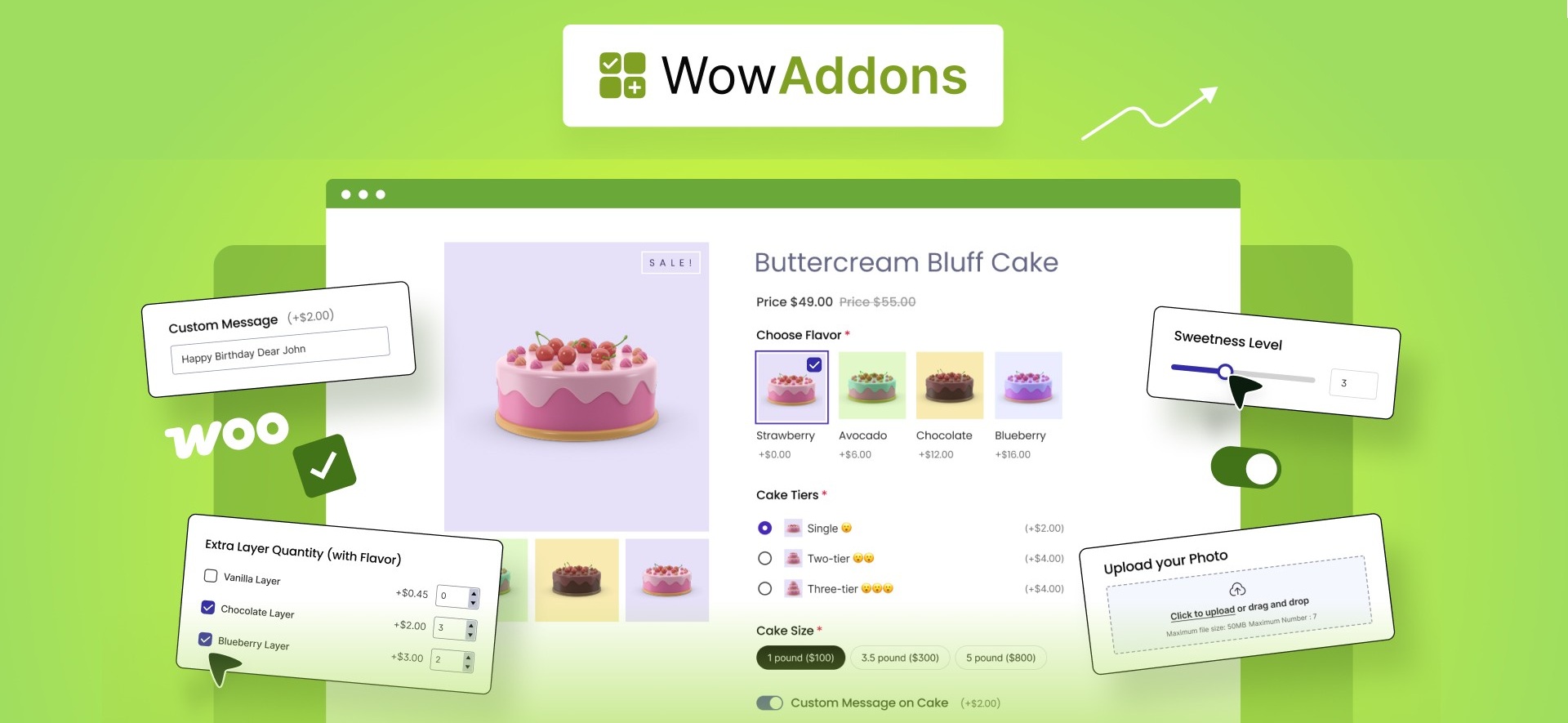
You can use these fields to create engaging, highly customizable product pages that encourage customers to build products suitable for their needs. For instance, you can sell premium services like express delivery, warranty, and insurance as add-ons and boost your average order value.
The addon builder is drag-and-drop and visually responsive, letting you place the custom fields on product pages effortlessly. You can even group multiple addons into a section for cleaner product pages.
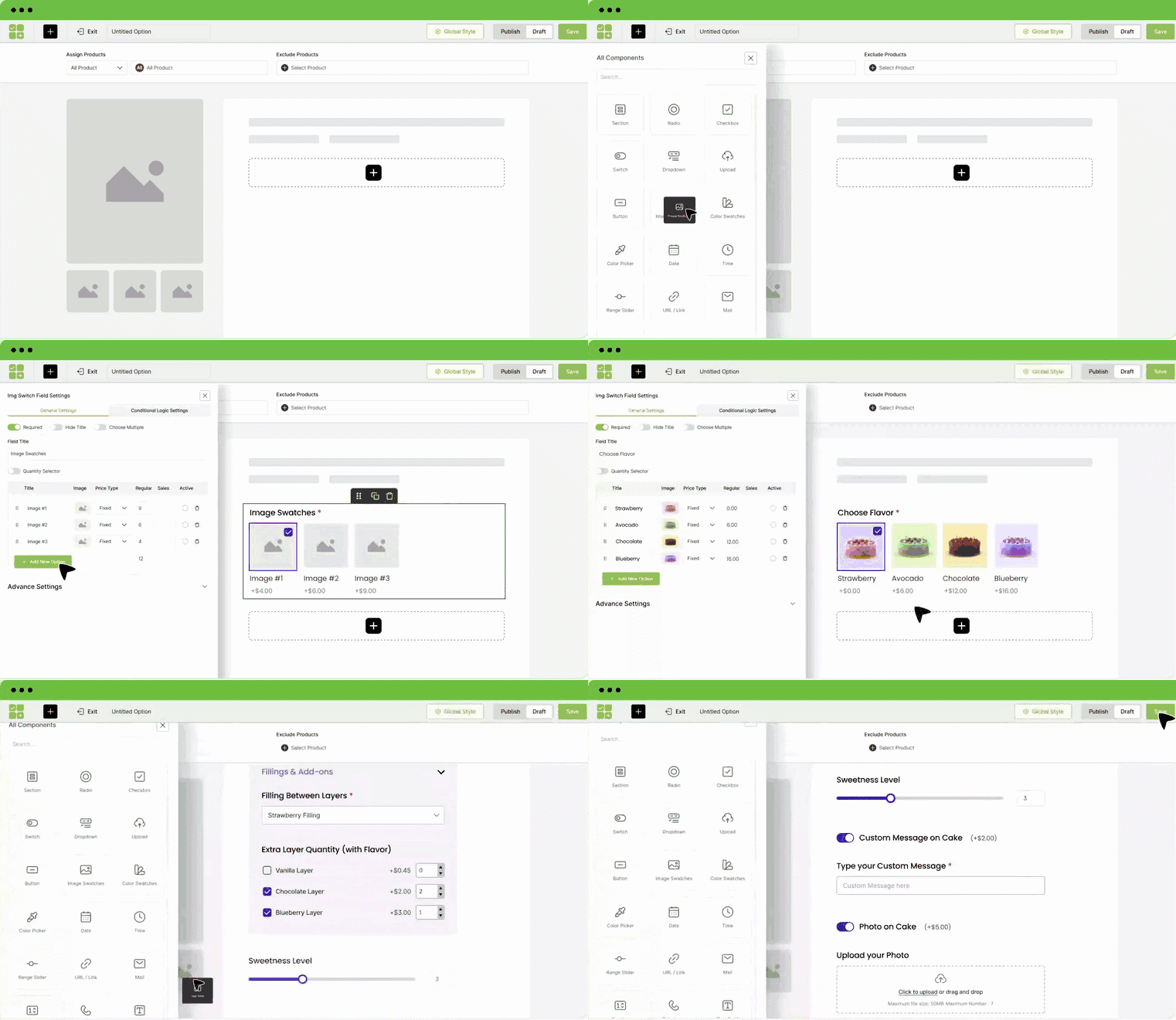
You can display image selections, color swatches, date picker, text input field, and many other custom fields on your product pages using WowAddons. Not only that, you can get a live preview for the addons when you are setting them in the addon builder.
You can charge extra for the custom addons with dynamic product pricing. Choose from fixed, percentage, or unit-based pricing, and add them to products – leading to increased profits for your business.
Another key feature of WowAddons is its conditional logic. You can show or hide addons based on customer choices. This gives you more control over how you want to charge the addon pricing, as well as keeping the product pages uncluttered.
Also, using its Products addon, you can easily display related products for a specific product page – letting you upsell or cross-sell easily.
From our testing, the WowAddons outperformed other competitors in terms of interface, usability, performance, and pricing while maintaining performance.
What Users Like
- Add 25+ addons to your product pages (text, dropdowns, swatches, sliders, file uploads, etc.).
- Drag-and-drop addon builder with live preview feature.
- Assign addons to specific products, categories, or across the entire store.
- Dynamic pricing adjustments (fixed, percentage, or unit-based) that update in real time.
- Conditional logic for hiding/showing addons based on customer input.
- Upsell and cross-sell options to increase order value.
- Customizable styles for the addons to match branding (colors, fonts, spacing, and more).
- Regular updates, quick support, and a 14-day money-back guarantee.
WowAddons was first submitted to WordPress.org in February 2025 and currently has more than 3,000 active installations. At the time of checking, it had 48 five-star reviews, one four-star review, and had been updated within the previous week. These figures show encouraging early adoption.
WooCommerce Product Options by Barn2
WooCommerce Product Options is claimed as a go-to plugin for giving store owners full control over product customization. Until now, it’s focused on offering flexible fields like checkboxes, text inputs, and file uploads – and even with just these features, it was already incredibly powerful.
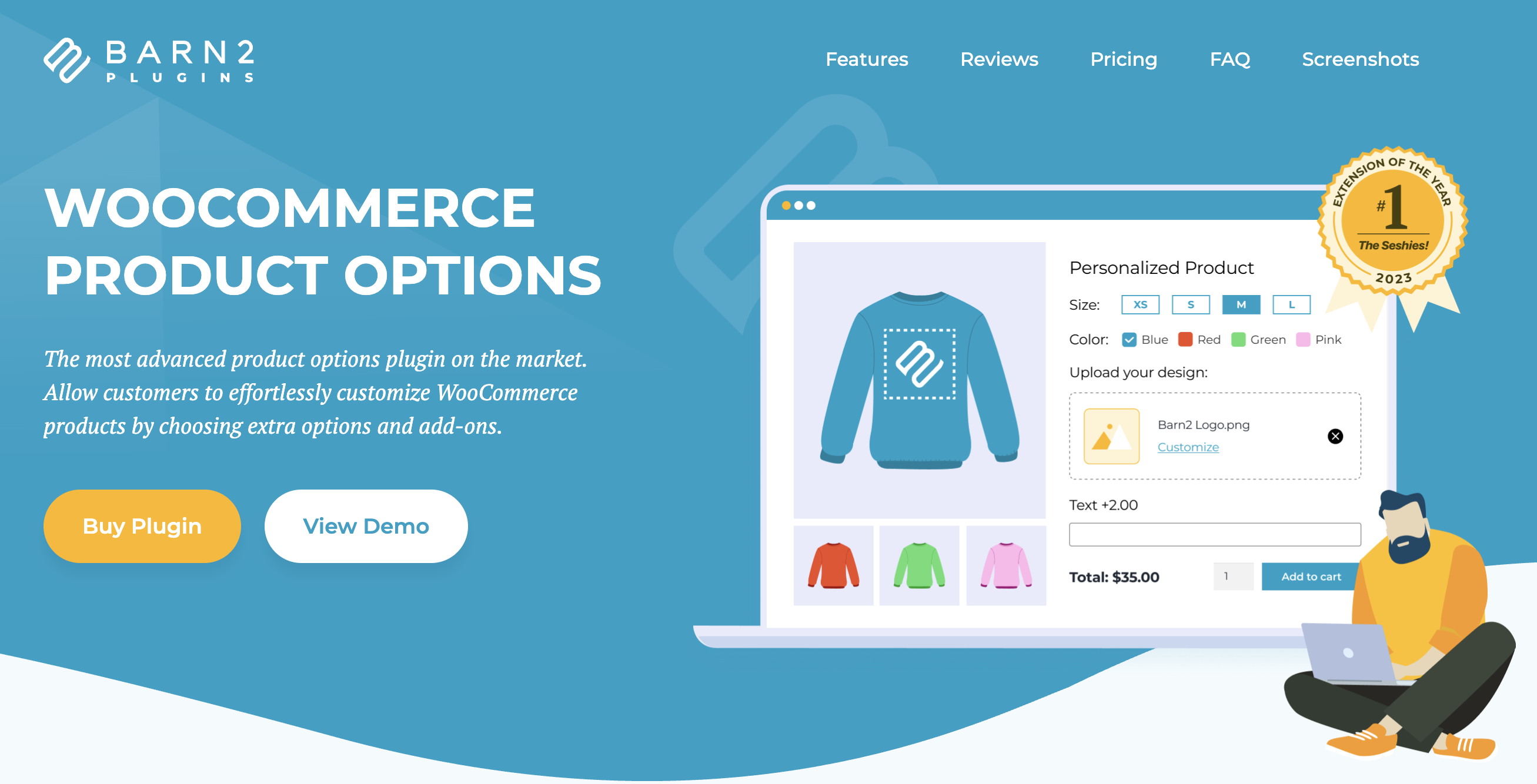
WooCommerce Product Options from Barn2 transforms standard WooCommerce product pages into fully customizable shopping experiences. The plugin enables store owners to allow customers to effortlessly customize products by choosing extra options and add-ons, with 16+ field types including checkboxes, radio buttons, dropdowns, file uploads, date/time selectors, text fields, products, and color/image swatches.
With pricing options such as flat fees, quantity-based or character-based fees, percentage-based adjustments, and custom price calculators, the plugin accommodates any pricing strategy, from simple surcharges to complex measurement-based calculations.
Perfect for businesses selling personalized, made-to-measure, or fully customizable products, WooCommerce Product Options delivers the professional customization capabilities needed to drive conversions and increase average order values. With its combination of powerful features, exceptional ease of use, and outstanding customer support, it’s the definitive solution for WooCommerce product customization.
What Users Like:
- Various product filter options available, including checkboxes, dropdowns, color swatches, and more
- Customizable filters without coding required
- Responsive, mobile-friendly design with dedicated style & layout options for different device types
- Excellent support & detailed documentation
- Admin and front-end demos available for testing
- 30-day money-back guarantee
WooCommerce Product Add-Ons Ultimate by Plugin Republic
WooCommerce Product Add-Ons Ultimate by Plugin Republic helps store owners create customizable products with over 20 add-on field types. These include checkboxes, dropdowns, radio buttons, file uploads, date pickers, image swatches, calculation fields, and even existing WooCommerce products as add-on options.
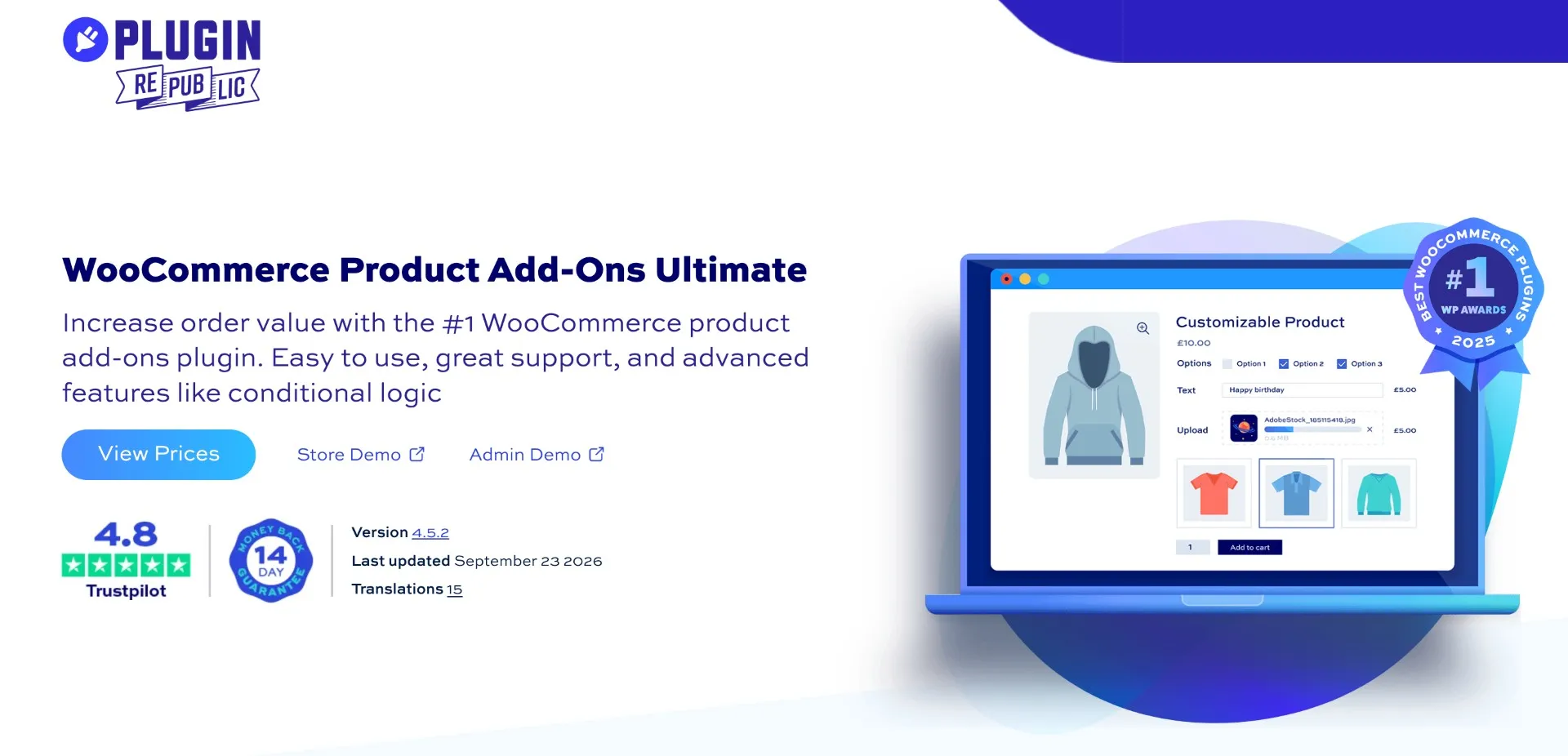
The plugin offers flexible pricing options, including flat fees, percentage-based charges, per-character pricing, and formula-based calculations. Its advanced conditional logic lets store owners show or hide specific options based on customer selections, product variations, quantities, and other conditions. You can also use existing WooCommerce products as add-ons while maintaining their individual stock, SKUs, and shipping details.
Ideal for businesses selling personalized gifts, custom-printed products, and made-to-measure items, WooCommerce Product Add-Ons Ultimate provides the flexibility to handle complex product configurations. With reusable add-on groups, customizable layouts, and multilingual support, it’s a practical choice for stores that need more control over product customization and pricing.
What Users Like:
- Over 20 add-on field types, including file uploads, image swatches, and calculation fields
- Flexible pricing with flat fees, percentages, per-character charges, and custom formulas
- Advanced conditional logic to show or hide fields based on customer selections
- Existing WooCommerce products as add-ons with individual inventory and SKU tracking
- Customizable layouts with tabs, accordions, steps, tooltips, and progress bars
- Reusable global add-on groups with import and export options
- WPML compatibility, multilingual support, and RTL support
- Store and admin demos, free setup on select plans, and a 14-day money-back guarantee
Product Add-Ons for WooCommerce
WooCommerce’s own Product Add‑Ons extension provides a straightforward way to let customers personalise products. It’s suitable when you need a plugin to get started – it can be used for use cases like custom text, gift‑wrapping, or premium materials.
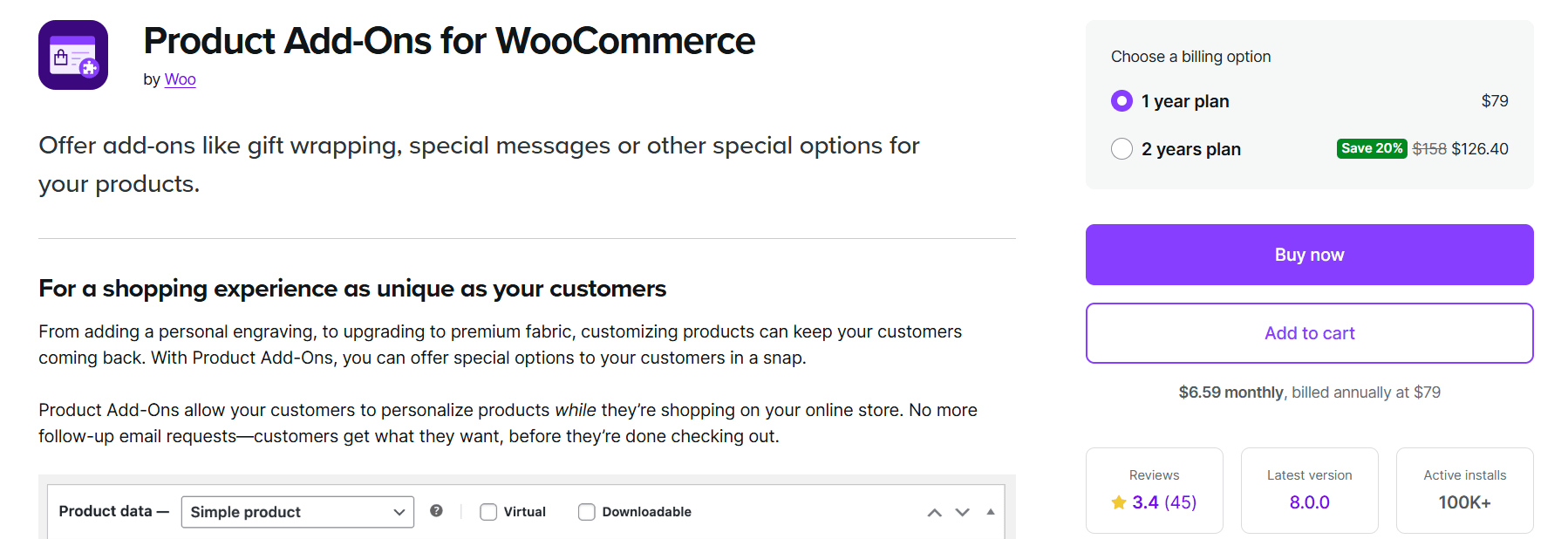
Customers can choose options using text fields, drop‑downs, checkboxes, or upload fields, and the add‑on supports multiple price models: flat fees for one‑time charges, percentage fees for service‑based pricing, and even custom price inputs.
You will find the image‑based selections particularly useful – you can display swatches or photos so customers know exactly what they’re selecting.
What Users Like:
- Enables image swatches, so it supports flat fees and percentage‑based pricing for add‑ons.
- Offers drop‑down and checkbox options for multiple selection types.
- Lets customers name their own price – useful for tips or donations.
- Integrates with WooCommerce Subscriptions and Bookings for recurring or scheduled products.
At the time of checking, the product page showed a 3.4 out of 5 rating from 48 reviews. Recent critical reviews raised concerns about the inability to restrict file-upload types and sizes, as well as the plugin’s functionality relative to its price.
YITH WooCommerce Product Add‑Ons & Extra Options
YITH is offering a feature‑rich add‑on plugin for WooCommerce owners who need advanced control over the product options.
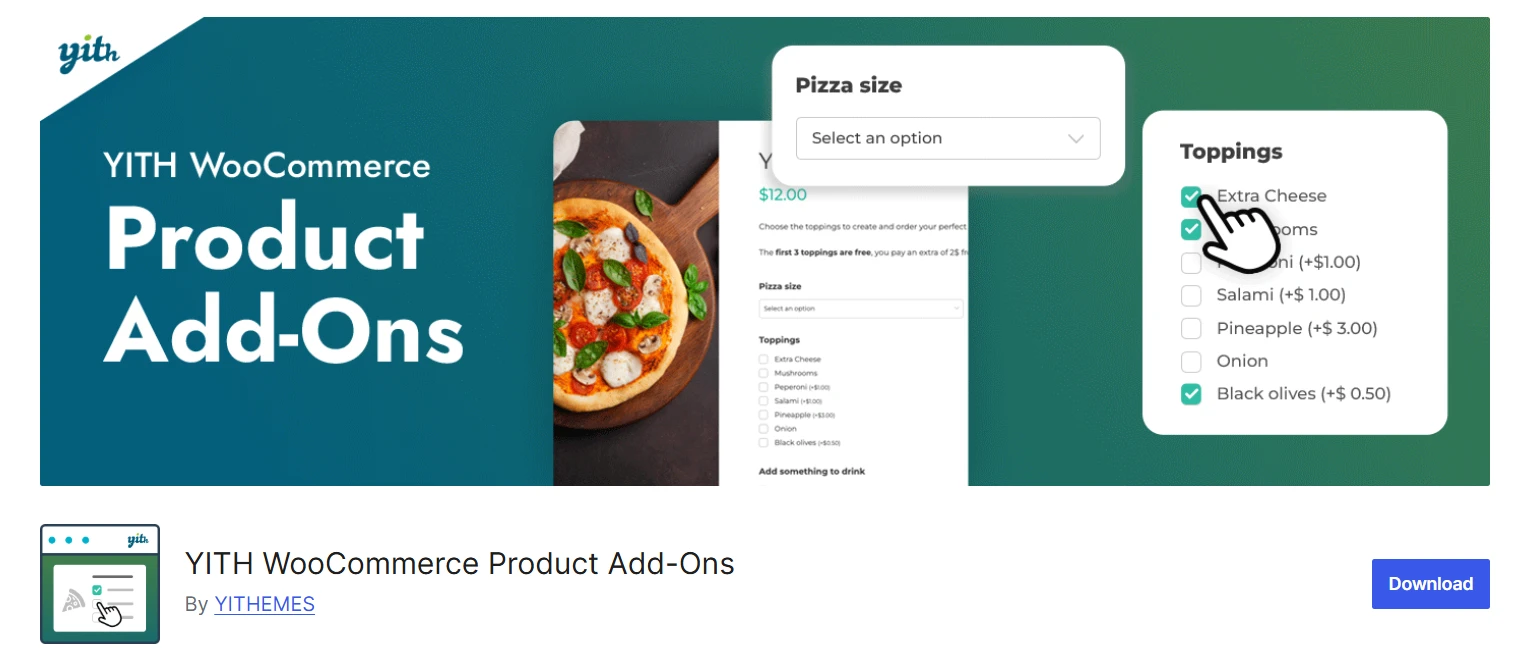
The plugin allows you to insert fields such as radio buttons, checkboxes, dropdowns, text inputs, image uploads, and date selectors.
You can sell additional services or related products easily from the product page by using these extra options. In addition, customers can upload photos or files to request custom designs.
The plugin offers dependency rules that mean that fields only appear when certain options are selected, reducing clutter and making forms more intuitive.
What Users Like:
- Offers a broad range of addon input types.
- Set pricing for each option, offer the addon for free, or apply discounts
- Allows customers to upload images/files for personalised products.
- Includes visual selectors using images, icons, and colour swatches.
- Supports conditional logic to display fields based on previous selections.
- Integrates with other YITH plugins and offers on‑sale pricing for options.
YITH’s product page currently shows a 4.39 out of 5 rating from 112 verified customer ratings. However, several recent critical reviews report delayed or inconsistent support responses, including one case where YITH acknowledged that business priorities were affecting response times.
Pro Tip: Learn about the better alternative to YITH Product Addons.
Product Addons and Extra Options for WooCommerce by Extendons
The product addons for WooCommerce is built for store owners who want to offer flexible product personalization without making product pages complicated. It allows you to create unlimited product addons using a wide range of field types, making it suitable for stores selling personalized gifts, apparel, printed products, engraved items, and other customizable goods.
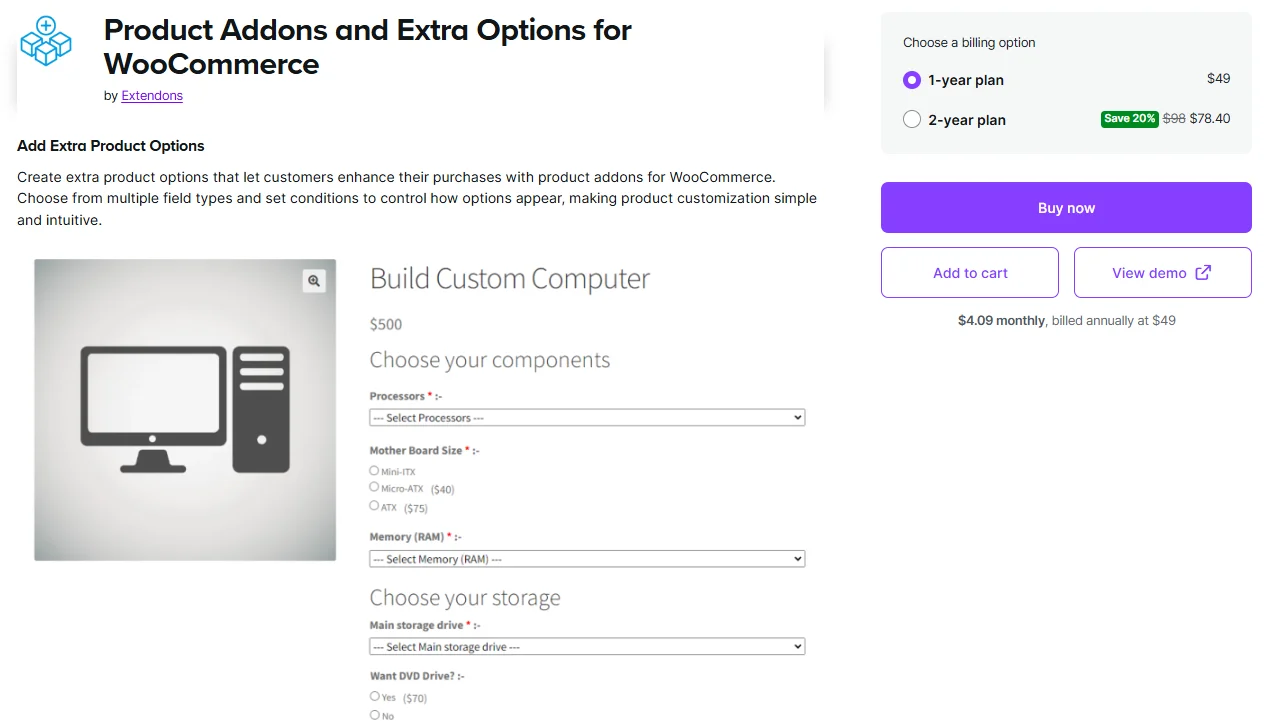
The plugin includes 19 field types such as text inputs, dropdowns, file uploads, image buttons, color swatches, date pickers, range sliders, and Google Fonts. You can apply these options globally across your store or assign them to individual products and categories for more targeted customization.
What stands out is the plugin’s flexible pricing and advanced product option management. Besides fixed and percentage-based pricing, it also supports quantity-based pricing and price-per-character calculations. It also includes conditional logic, addon stock management, user role visibility, and full compatibility with WooCommerce Cart and Checkout Blocks.
What Users Like:
- Create unlimited product addons using 19 different field types.
- Supports conditional logic to display fields based on customer selections.
- Flexible pricing options, including quantity-based and price-per-character pricing.
- Global rules, product-specific options, and user role visibility controls.
- Includes addon stock management and compatibility with WooCommerce Cart and Checkout Blocks.
This plugin is also a recent upload, but it delivers a strong mix of features at a competitive price. It’s a promising option and well worth considering for stores that sell customizable products.
Extra Product Options for WooCommerce
If you have a WooCommerce store and want to offer customers more than the standard size or colour choices, Extra Product Options can be a good solution. It lets you add 20 custom field types like text, number, date pickers, and colour swatches to your product pages in the free and 8 more in the Pro version.
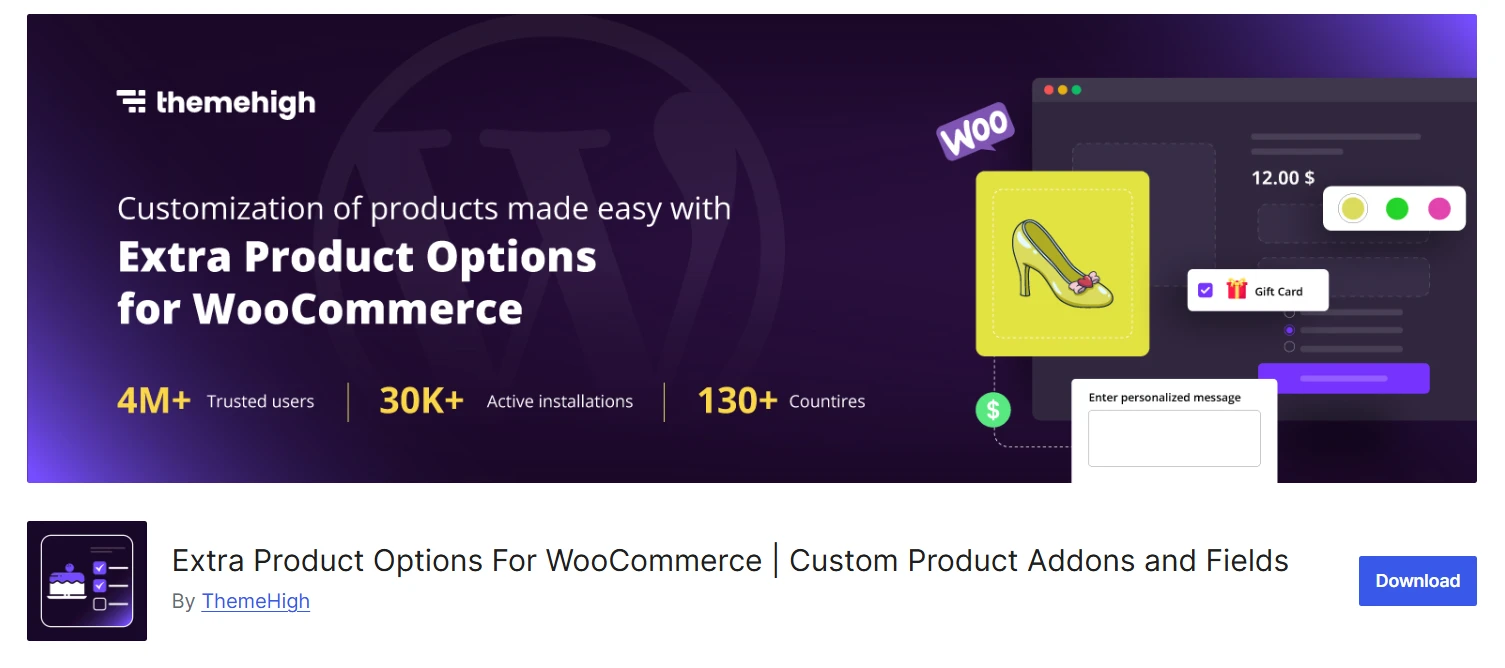
The plugin also offers display rules that allow you to show or hide fields based on product, category, or tag, which is handy when different products need different custom options. In my experience, conditional logic like this keeps product pages tidy and helps customers see only the options that matter to them.
In addition, the plugin provides extensive theme compatibility – from Astra to Divi and Kadence, it integrates smoothly with most WooCommerce themes.
What Users Like:
- Adds up to 28 advanced field types, including range sliders, color pickers, checkboxes, and more.
- Groups related fields into custom sections positioned before or after the Add‑to‑Cart button.
- Offers conditional display rules for showing/hiding fields based on products, categories, or tags.
- Lets you style fields and sections using flexible CSS settings.
- Custom & confirm validators to ensure data accuracy.
At the time of checking, the plugin had more than 30,000 active installations and a 4.9 out of 5 rating from 218 WordPress.org reviews. It had also been updated within the previous week, with recent releases adding compatibility for current WordPress and WooCommerce versions.
Pro Tip: Learn about the Extra Product Options Plugin Alternative.
PH WooCommerce Product Add‑Ons
PH Product Add‑Ons caters to store owners who need a simple interface for custom options along with flexible pricing. It lets you add custom text fields, image uploads, and selection fields to products so customers can personalise items.
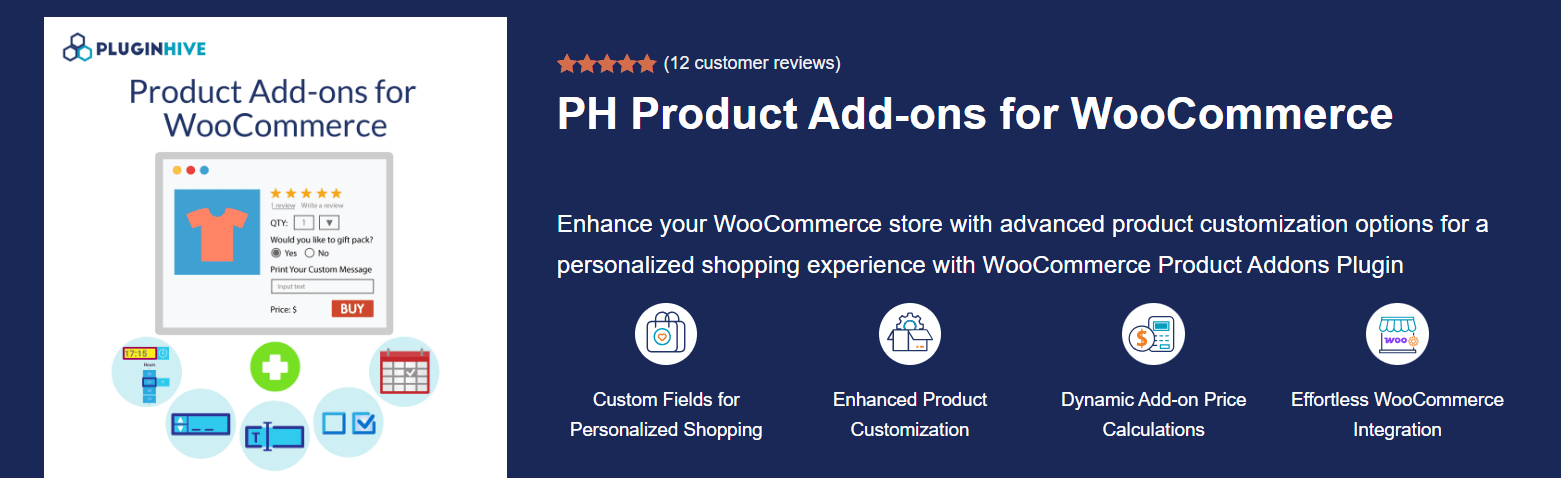
The plugin emphasises ease of use, which is reflected in its beginner-friendly interface, and you can style the custom fields to match your theme. But the UI might seem a bit outdated to some users.
Just like other addon plugins in this list, it offers dynamic price calculations – you can charge extra based on character length, quantity, or percentage of base price. This is ideal for businesses charging based on custom engraving length or product size.
The plugin supports many custom addon types: drop‑downs, date pickers, file uploads, checkbox groups, hidden fields, and even phone number fields.
What Users Like:
- Adds 15 custom fields and options for text, images, and choices.
- Displays a summary of selected add‑ons and costs on WooCommerce pages.
- Offers various field types, including drop‑downs, date pickers, file uploads, and checkbox groups.
- Allows hidden fields for mandatory services and phone number input.
- Supports WPML.
PluginHive’s product page currently shows a rating of 4.85 out of 5 from 13 customer reviews. The available reviews are largely positive about setup and technical support.
Product Addons for WooCommerce by Acowebs
This plugin by Acowebs is great for store owners who want a decent solution without worrying much about a costly plan. It includes a drag‑and‑drop form builder that makes creating custom fields straightforward.
You can add extra form data like notes, numbers, dates, or colour selections and display it in the order details; this is especially handy for bespoke or made‑to‑order products.
The free version supports core input types such as text, number, radio buttons, checkboxes, select dropdowns, textareas, date and colour pickers, hidden and password fields, email input, grid layout, and conditional fields.
For more advanced needs, the premium upgrade offers custom price fields, price formulas, file uploads (with drag‑and‑drop), multi‑select fields, and image or colour swatches.
I like that the plugin shows front‑end and back‑end demos so you know exactly how the options will appear. Overall, it’s a versatile entry‑level option that can scale with premium features.
What Users Like:
- Simple drag‑and‑drop builder for creating custom fields.
- Supports a library of addon types
- Includes conditional logic to show or hide fields based on user input.
- The premium version adds price fields and formulas for dynamic pricing.
- Allows file uploads with drag‑and‑drop and AWS S3 storage.
At the time of checking, the free plugin had more than 30,000 active installations, a 4.9 out of 5 rating from 466 reviews, and had been updated within the previous two weeks.
Pro Tip: Learn about the alternative to the Product Addons Plugin by Acowebs.
So, Which WooCommerce Product Addons Plugin Should You Choose?
Here’s a side-by-side comparison of the most popular WooCommerce product add-ons plugins, helping you decide the right solution.
| Plugin | Key Features | Best For |
|---|---|---|
| WowAddons | 25+ addon fields, drag-and-drop builder with live preview, dynamic pricing, conditional logic, upsell & cross-sell features, global style controls, great free plan | Store owners who want an all-in-one, modern solution with excellent value for money, and a free plan available for growing stores. |
| WooCommerce Product Add-Ons Ultimate (Plugin Republic) | 20+ field types, formula-based pricing, Products fields with stock and SKUs, advanced conditional logic, layered swatches, free set-up | Stores with complex pricing, configurators, print shops or made-to-measure products that need accurate inventory |
| WooCommerce Product Options (Barn2) | 16+ field types, including checkboxes, radio buttons, dropdowns, file uploads, and color/image swatches; supports 8 pricing options | Stores offering personalized or made-to-measure products that need advanced customization options. |
| WooCommerce Extra Product Options | 20 field types, drag-and-drop form builder, conditional display rules, strong theme compatibility | Stores that need flexibility with polished theme integrations |
| WooCommerce Product Add-Ons | Text/checkbox/upload fields, percentage and flat fees, customer-defined pricing | Those who want reliability and official WooCommerce support |
| YITH Product Add-Ons & Extra Options | Wide input library, file uploads, image swatches, conditional logic, and integrations with other YITH plugins | Advanced users who need more control and a broader plugin ecosystem |
| PH WooCommerce Product Add-Ons | Custom text/image fields, dynamic price calculations, beginner-friendly UI, WPML support | Small to medium stores needing custom engravings, text-based pricing, or multilingual support |
| Acowebs Product Addons | Drag-and-drop builder, free plan with core fields, premium dynamic pricing & file uploads, image swatches | Budget-conscious owners who want to start free and scale later |
Our Recommendation
For most small and growing WooCommerce stores, WowAddons offers the best overall balance of field variety, usability, free functionality, and licensing flexibility.
Stores with complex made-to-measure pricing should consider WooCommerce Product Options by Barn2, while YITH Product Add-Ons is a stronger fit for granular option controls and stores already invested in YITH’s ecosystem.
The best plugin is therefore not necessarily the one with the longest feature list. It is the one that supports your required fields, pricing rules, product volume, and workflow without adding unnecessary cost or configuration complexity.
Why Should You Offer Addons to Your Products in WooCommerce?
So why bother with addons in the first place? Here’s how they can actually help your store:
→ Increased personalization
Customers love products that feel “theirs.” Whether it’s customizing a T-shirt with their own text, adding extra toppings to a pizza, or picking a skincare routine that matches their skin type, personalization gives them more control. That control often leads to more sales and a loyal customer base.
→ Higher average order value
Add-ons are one of the simplest upselling tactics you can implement. Think about it: a warranty, premium material upgrade, or even express shipping can all be offered as extra options. Each one adds just a little more to the cart value. Now, think of hundreds of customers purchasing these addons you can see a serious profit boost.
→ Improved customer satisfaction
When shoppers get exactly what they want without sending back-and-forth emails or special requests, they’re happier. And happy customers aren’t just repeat buyers—they’re more likely to leave positive reviews and recommend your store to others.
→ Streamlined operations
From your perspective, addons reduce friction. Instead of customers emailing you to ask for special packaging, they simply select it on the product page. This means fewer manual adjustments for you and a smoother buying experience for them.
How to Add Product Addons With WooCommerce?
You can add product addons in two main ways:
Option A: Using a plugin (recommended)
For most store owners, using a plugin is the more practical option because it provides an interface for creating, pricing, and managing addons without custom development. The exact steps vary by plugin, but the general process is:
- Install and activate a WooCommerce product addons plugin, such as WowAddons.
- Open the plugin’s addon builder from the WordPress dashboard.
- Create the required fields, such as text inputs, dropdowns, checkboxes, file uploads, or image swatches.
- Configure labels, required-field rules, option prices, and conditional logic.
- Assign the addon group to selected products, product categories, or the entire store.
- Preview the configuration, publish it, and test the complete purchase process.
This is the easiest and most flexible way because plugins handle dynamic pricing, conditional logic, and display nicely on cart/checkout pages.
Option B: Custom code (for developers)
Developers can create product fields using WooCommerce actions and filters instead of installing a dedicated plugin.
For example, woocommerce_before_add_to_cart_button can be used to display a field near the Add to Cart button, while woocommerce_add_cart_item_data can store submitted data in the cart item. Both hooks remain available in WooCommerce’s current code reference.
A complete implementation usually requires several additional steps:
- Validate required or restricted input with
woocommerce_add_to_cart_validation. - Display the submitted value in the cart and checkout using
woocommerce_get_item_data. - Save it as order-item metadata with
woocommerce_checkout_create_order_line_item. - Sanitize text, validate uploaded files, and protect forms with appropriate security checks.
- Adjust the product price separately when the addon carries an additional charge.
WooCommerce’s current hook reference includes the cart-item display and order-line-item hooks used for these workflows.
Custom code can be appropriate for one or two stable fields with highly specific requirements. It becomes harder to maintain when you need multiple field types, conditional dependencies, formula pricing, uploads, styling controls, or compatibility with different product templates.
Product Addons Strategies: Tips & Tricks
It’s tempting to throw every possible add-on onto your product pages, but a proper strategy matters. Here are some tips to make addons work for you instead of against you:
👉 Keep It Simple
Less is more. If you overwhelm customers with dozens of checkboxes and dropdowns, they might just abandon the cart. Stick to addons that genuinely add value to that specific product.
👉 Use Conditional Logic
Nobody needs to see a “Custom Text” field if they didn’t select “Yes” as an option. Conditional logic keeps pages tidy and ensures customers only see what’s relevant to their order.
👉 Highlight Value
Present addons as upgrades or special perks. Instead of just saying “Add Gift Wrap – $5,” you can label the addon like this: “Make it special with premium gift wrap – only $5.” This kind of messaging shows the benefit, not just the cost.
👉 Upsell Smartly
Use addons to suggest premium variations or related items. For example, if someone’s buying headphones, you can offer a case or extended warranty as an addon right there on the product page.
👉 Match Branding
Your addon fields should look like they belong on your site. A clunky, mismatched style can feel unprofessional. Use the addons plugins that let you customize fonts, colors, and spacing so everything blends seamlessly with your theme.
Real User Queries about Product Addons
Product addons vs. product options – What’s the difference?
Product Addons and Product Options are often used interchangeably. Both convey almost the same meaning – which is offering extra options when customers are purchasing products. There is a slight difference, though. Product addons refer to added benefits for products – for which store owners often charge extra money. While product options can mean any kind of options added to the products.
Can you add product addons for free?
Yes, using the WowAddons plugin, you can add product addons for free; thanks to its generous free plan that includes core fields like text, dropdowns, swatches, and more.
How can I let customers build their own pizza with toppings and sides?
You can display checkbox options for toppings (extra cheese, mushrooms, olives), dropdowns for crust types, and conditional logic to show sides/drinks if a combo is selected. Add dynamic pricing so premium toppings add to the total automatically.
How do I let customers upload their design and add personalized text?
Add an image upload field for logos or graphics. Also, display a text input field for custom text, such as names. In addition, use a color swatch addon so they can pick shirt colors visually.
How do I offer engraving and gift packaging options?
Use a text input field for engraving messages, a character-based pricing rule to charge per letter, and a checkbox for premium gift wrapping. Optional radio buttons let them select different packaging styles
How do I upsell warranties and accessories?
Use radio buttons to add extended warranty tiers (1 year, 2 years), checkboxes for accessories (cases, chargers), and conditional logic to show premium installation services only if selected.
How can I let customers build a routine that fits their skin type?
Use a dropdown to select skin type (oily, dry, sensitive), then conditional fields to suggest suitable products. Add multi-select checkboxes so they can bundle cleansers, serums, and moisturizers together.
Summing Up
We’ve covered a lot in this guide – from what product add-ons actually are, to the best plugins available in 2026, their pricing, key features, and even real-world use cases across industries like food, apparel, jewelry, and electronics.
To reiterate, WowAddons stands out as the most complete product addons solution, offering 25+ addon fields, dynamic pricing, upsell/cross-sell options, conditional logic, and a user-friendly drag-and-drop builder – all at a very competitive price, with a free plan and lifetime license available.
Product add-ons are essential if you want to boost personalization, increase average order value, and improve customer satisfaction. They transform a plain product page into an interactive buying experience.
👉 So, whether you’re a solo entrepreneur selling custom T-shirts or an agency managing multiple stores, the right add-ons plugin can become your store’s secret weapon for growth.