
Buy X Get Y for WooCommerce
Create flexible Buy X Get Y offers with WowRevenue and encourage customers to purchase more by rewarding them with another product at a discount or for free.


What Is WooCommerce Buy X Get Y and Why Use It?
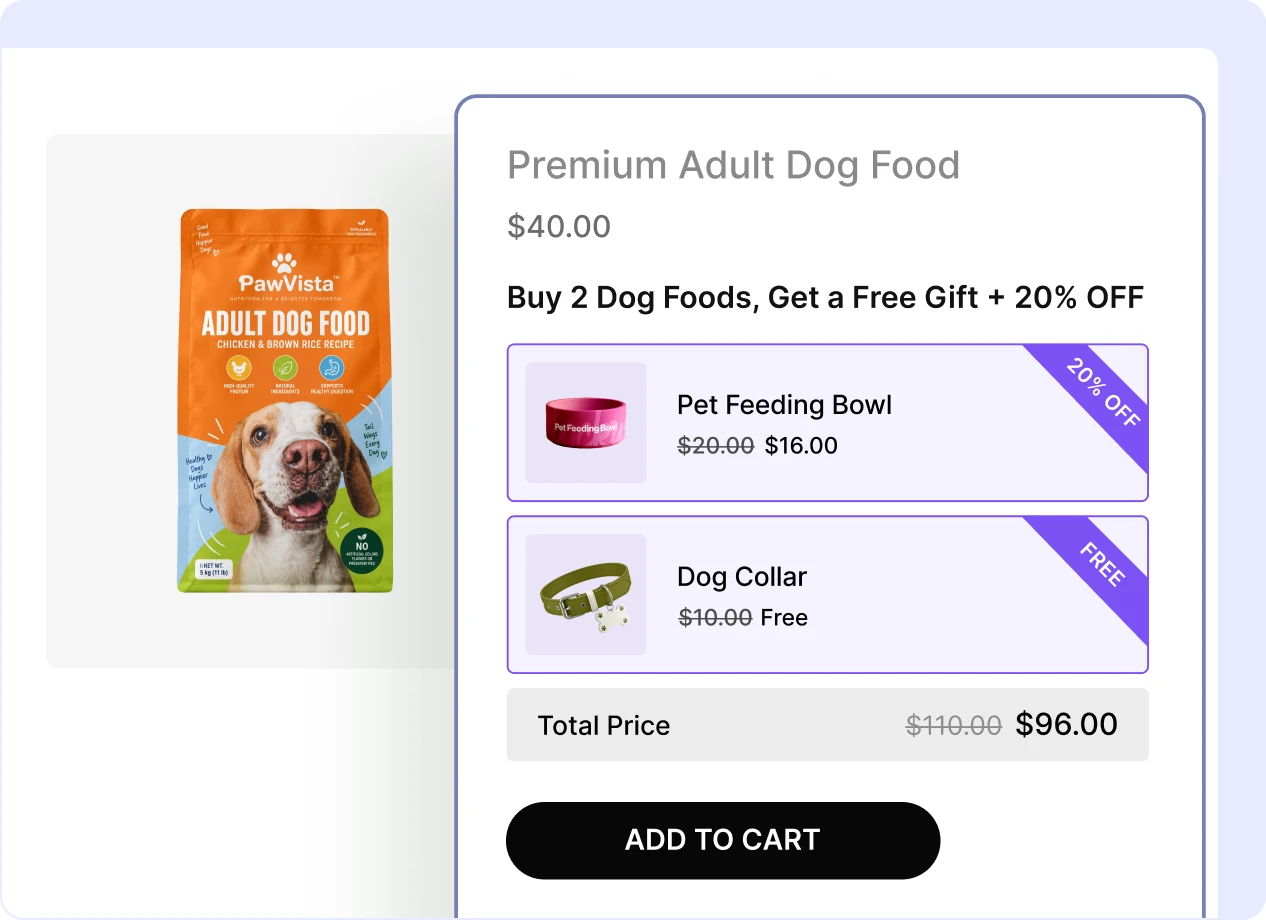
WooCommerce Buy X Get Y lets you create promotional offers where customers purchase specific products or quantities and receive other products at a special price or for free.

Encourage Bigger Purchases
Give shoppers an extra incentive to buy the products or quantities required to unlock the offer.

Reward Customers Instantly
Offer another product for free or at a special price when customers meet your Buy X conditions.

Sell Products Together
Pair complementary products and encourage customers to purchase them as part of one attractive deal.

Promote Specific Products
Use Buy X Get Y campaigns to draw attention to selected products you want customers to purchase.

Increase Average Order Value
Turn single-product purchases into larger orders by giving customers a reason to add more.

Create Flexible Promotions
Go beyond simple BOGO deals with different products, quantities, and discount options for the Y product.
Choose the Right Layout for Buy X Get Y Offer
Present your Buy X Get Y promotion in the layout that works best for your products. WowRevenue gives you both list and grid layouts so you can create a clear and engaging offer experience.
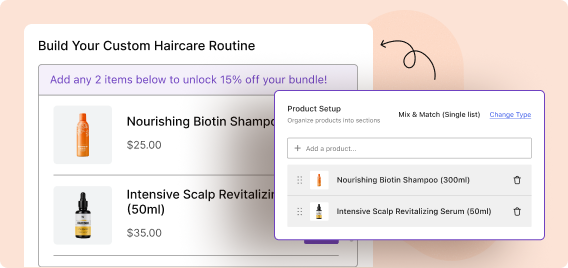
Buy X Get Y List Layout
Display the Buy X and Get Y products vertically. It works well when you want customers to clearly see the
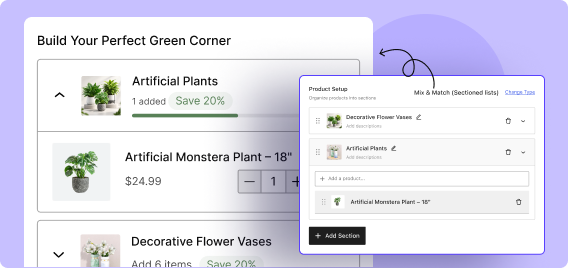
Buy X Get Y Grid Layout
Show the products side by side in a compact grid layout, making it easy for shoppers to compare the Buy X and Get Y products at a glance.
Create Flexible Discounts for the Offer Y Products
Control exactly how customers are rewarded after meeting the Buy X condition. WowRevenue gives you multiple pricing options for the Y product, from percentage savings to completely free products.

Percentage Discount
Reduce the Y product price by a percentage, such as 10%, 20%, or 50% off.

Fixed Discount
Subtract a specific amount from the regular price of the Y product.

Fixed Price
Offer the Y product at a specific promotional price regardless of its regular price.

Free Product
Give the Y product completely free when customers fulfill the Buy X requirements.

No Discount
Bundle the Y product into the offer without changing its regular price.
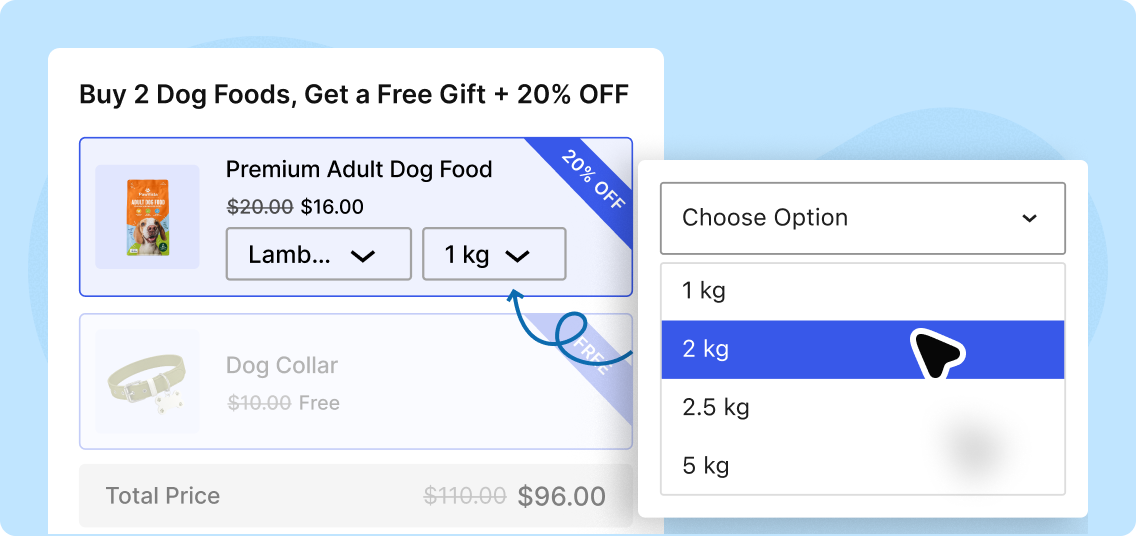
Create Buy X Get Y Offers with Variable Products
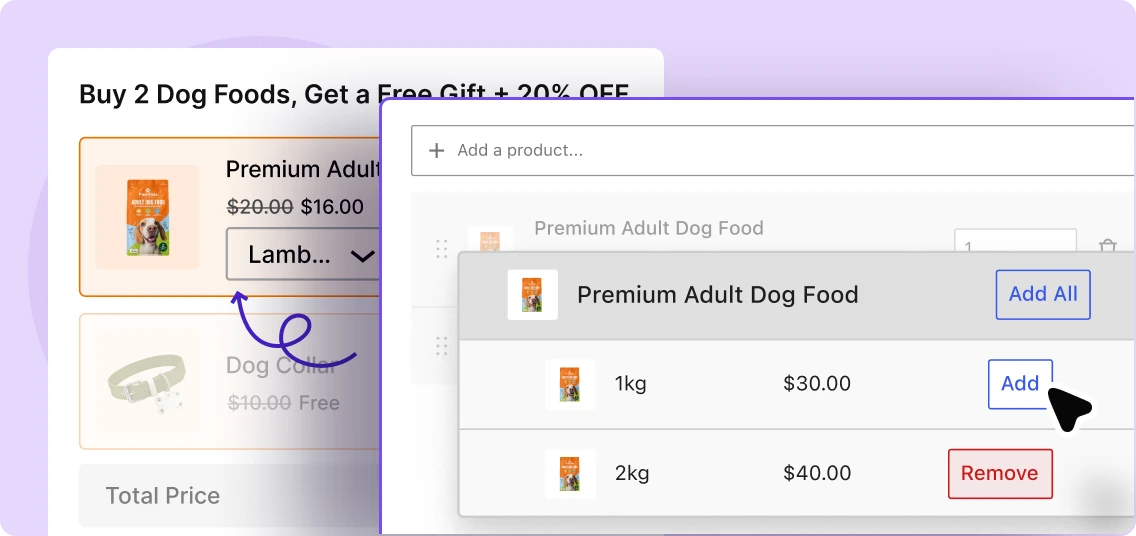
Include variable products in your Buy X Get Y promotions and give shoppers more flexibility when choosing the products they want.
Offer Product Variations
Include products with options such as size, color, style, or other WooCommerce variations in your Buy X Get Y promotion.
Let Customers Choose Options
Allow shoppers to select the available variation options directly from the Buy X Get Y offer before adding the products to the cart.
Display Your Buy X Get Y Offer Where It Matters
Control which product pages can show your Buy X Get Y promotion. Target the qualifying X products, selected products, categories, or your entire store depending on your campaign.
All Products
Make the promotion visible across your entire WooCommerce product catalog.
Specific Product
Choose an individual product where you want the Buy X Get Y offer to appear.
Product Categories
Display the Buy X Get Y campaign throughout the categories you choose.
WooCommerce Buy X Get Y Examples
See how different stores can use Buy X Get Y offers to connect qualifying purchases with specific rewards, free products, or discounted add-ons.

Fashion Store
Offer Buy 2 T-shirts, Get 1 Cap Free to turn a simple apparel purchase into a higher-value order.

Grocery Store
Run Buy 3 Snack Packs, Get 1 Drink Free to encourage shoppers to add more items to their cart.

Beauty Store
Create a Buy a Serum, Get a Moisturizer 30% Off offer to promote complementary skincare products together.

Gift Store
Run Buy Any 2 Gift Items, Get a Greeting Card Free to add extra value without discounting the main products.

Pet Store
Create a Buy Pet Food, Get Treats 20% Off deal to cross-sell products that naturally go together.

Electronics Store
Offer Buy a Laptop, Get a Wireless Mouse for $10 by setting a fixed price for the Get Y product.
How to Create a WooCommerce Buy X Get Y Offer
Setting up Buy X Get Y offers using WowRevenue is as simple as following 3 easy steps.
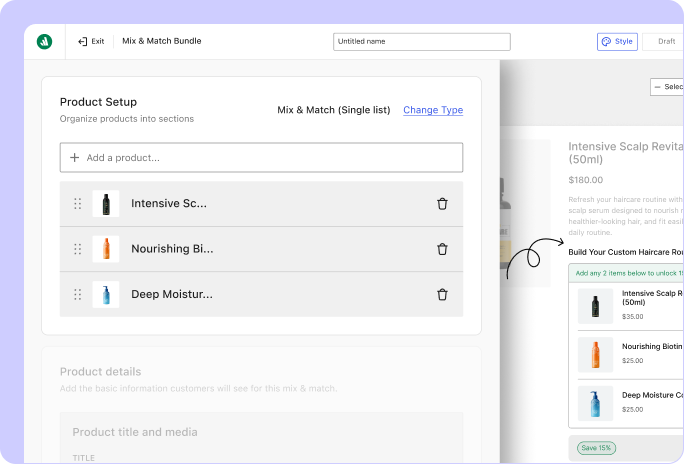
Choose the Qualifying Products
Select the products customers need to buy to trigger the Buy X Get Y offer.
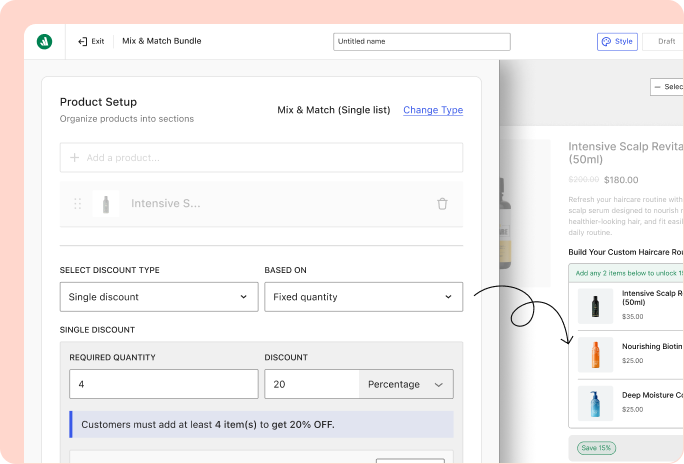
Configure the Offer Settings
Define how many X products customers need to buy and how the Y products should behave.
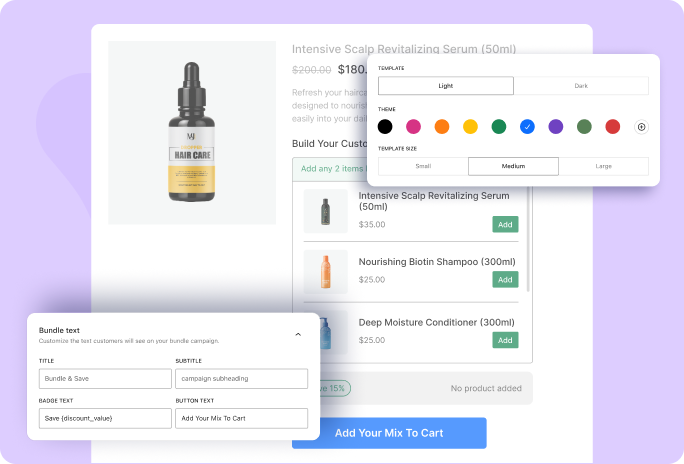
Choose the Y Products
Select the products customers receive after meeting the Buy X Get Y conditions.
See What Makes WowRevenue the Best Buy X Get Y Plugin for WooCommerce
Compare the features that matter most and see how WowRevenue helps you create flexible, targeted, and conversion-focused Buy X Get Y offers for your WooCommerce store.
Plugin | Notable Features | Best For |
|---|---|---|
WowRevenue | Advanced Buy X Get Y campaigns, flexible conditions and placements, multiple bundle campaigns such as mix match, frequently bought together, percentage/fixed discounts, fixed pricing, and campaign analytics. | Best for WooCommerce stores that want an all-in-one Mix and Match solution with flexible discounts and built-in tools to increase conversions. |
Discount Rules for WooCommerce | Buy X Get Y and Buy X Get X, recursive offers, free or discounted products, cheapest/highest product selection, and conditional discount rules. | Best for stores that need a flexible discount-rule engine for creating Buy X Get Y offers alongside other conditional pricing and discount scenarios. |
YayPricing | Buy X Get Y, BOGO, free gifts, percentage and fixed discounts, product/category/variation targeting, cart conditions, customer conditions, scheduling, and dynamic pricing rules. | Best for stores that want Buy X Get Y promotions as part of a broader dynamic pricing and conditional discount system. |
Smart BOGO | Buy X Get Y combinations, free or discounted rewards, simple and variable products, ready-made templates, scheduled campaigns, multiple BOGO redemptions, and reporting dashboard. | Best for stores primarily looking for a dedicated BOGO solution with straightforward campaign creation and performance tracking. |
Frequently Asked Questions
Explore these frequently asked questions about Buy X Get Y offers to understand how they work and how you can use them in your WooCommerce store.
Feel free to contact our support team in case you have questions.