
Mix and Match Products for WooCommerce
Mix and Match Bundles by WowRevenue lets you offer customizable product combinations, so shoppers can build their own bundles from selected products, increasing your average order value.


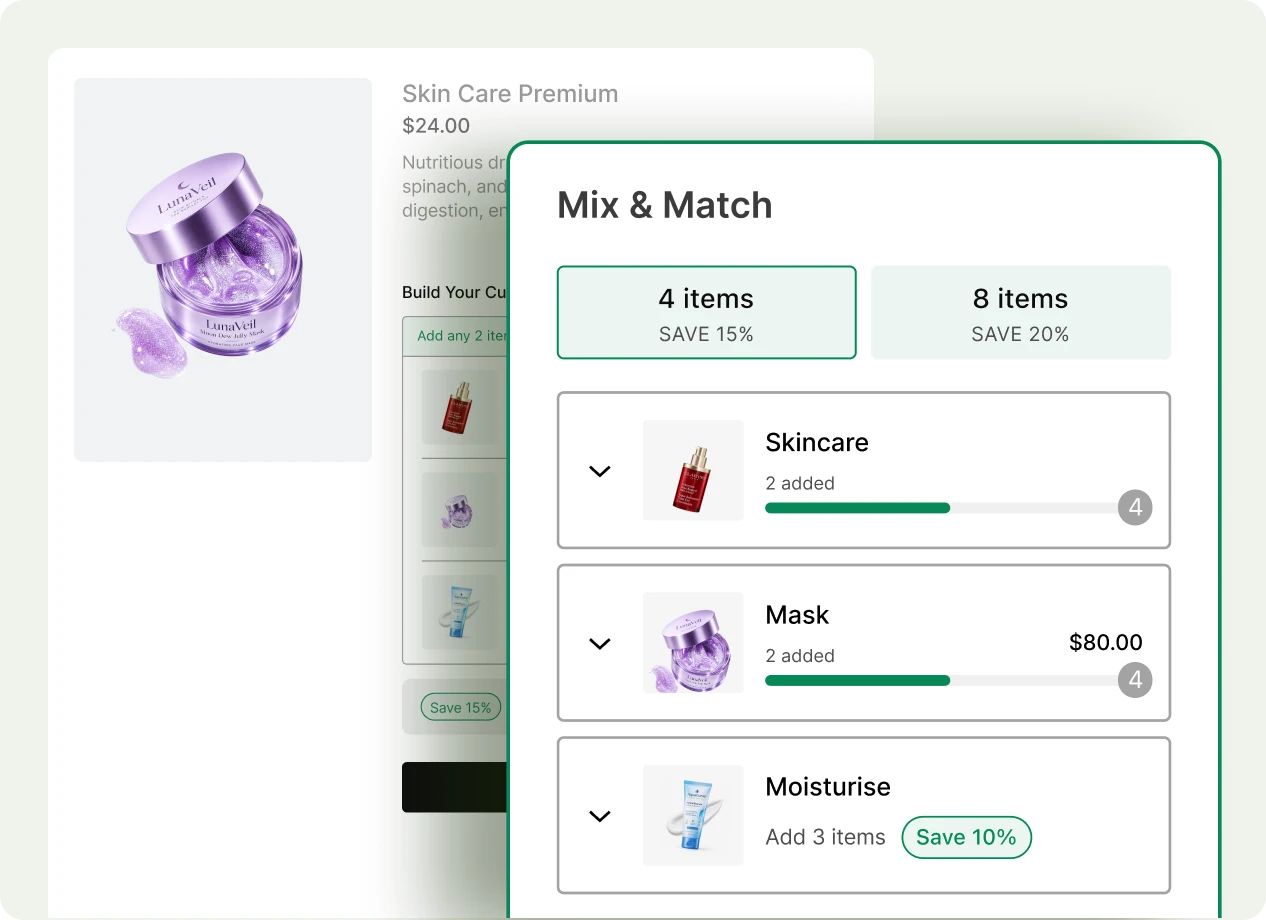
What Is WooCommerce Mix and Match and Why Use It?
WooCommerce Mix and Match lets customers create their own bundle by choosing from a selection of products instead of buying a fixed set. It gives shoppers more control over what they buy while helping you sell multiple related products together in a single offer.

Let Customers Build Their Bundle
Give shoppers the freedom to choose the products they actually want in their bundle.

Sell More Products Together
Encourage customers to pick multiple items instead of purchasing just one product.

Offer More Choice and Flexibility
Let customers combine different products or variations based on their preferences.

Create Bundles for Any Occasion
Build flexible boxes, gift sets, meal packs, product kits, and other custom combinations.

Increase Average Order Value
Turn individual product purchases into larger multi-product orders with attractive bundle offers.

Make Bundles Feel Personalized
Let every customer create a combination that better matches their needs and tastes.
Create Mix and Match Bundles Your Way
Choose how products appear inside your WooCommerce mix and match bundle. Show everything in one simple list or organize products into separate sections.
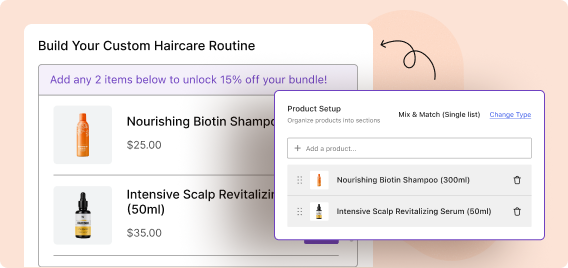
Single List Mix and Match Bundle
Display all eligible products in one list so shoppers can quickly browse, choose quantities, and add the items they want to their custom bundle.
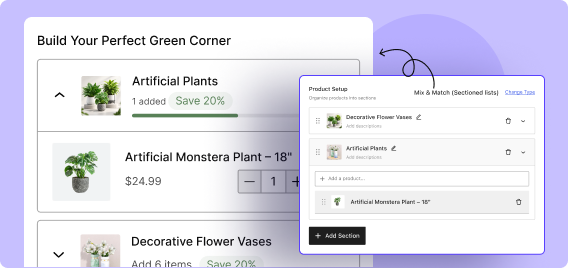
Sectioned Mix and Match Bundle
Group products into separate collections or sections and guide shoppers to choose items from each group, which is ideal for structured bundles.
Create Flexible Discounts for Your Mix and Match Bundles
Choose how customers enjoy savings inside your mix and match bundles. Apply one simple discount or create tiered offers that reward shoppers as they add more items.
Single Discount
Apply one fixed discount when customers meet the required bundle quantity.
2-Stage Tiered Discount
Create two discount levels so customers unlock better savings as they add more products.
3-Stage Tiered Discount
Set three progressive discount levels to encourage customers to build larger bundles and spend more.
Customize Discounts Based on Different Criteria
Control exactly when a discount becomes available in your mix and match bundle. WowRevenue lets you trigger bundle discounts based on quantity or order value, so you can match the offer to your sales strategy.
Minimum Quantity
Apply a discount once customers add at least a specified number of products to the bundle.
Fixed Quantity
Offer the discount only when customers add an exact number of products.
Quantity Range
Apply the discount when the number of selected products is within a defined range.
Minimum Amount
Unlock the discount when the total value of bundle products reaches a set amount.
Add Variable Products in the Mix and Match Bundles
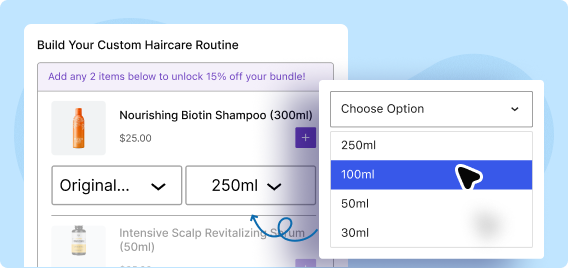
Build more flexible mix and match bundles by including variable products. Choose the exact variations you want to offer or let shoppers select their preferred options.
Preselect Specific Variations
Choose specific sizes, colors, styles, or other variations to include in the mix and match bundle and keep the available choices fully controlled.
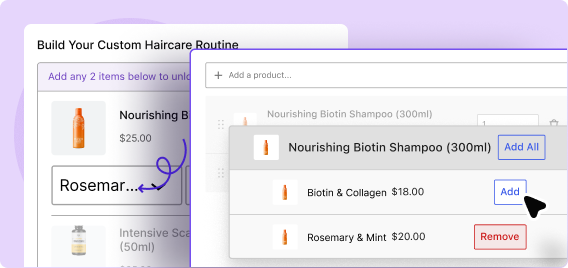
Let Shoppers Choose Their Variations
Allow customers to select their preferred product variations directly while building the bundle for a more personalized shopping experience.
Conversion-Focused Features for Your Mix and Match Bundles
Make your mix and match offers more appealing with flexible display and incentive options. Add gifts, custom messaging, and product visuals to make each bundle stand out.
Add a Free Gift
Reward customers with a free gift when they complete the required bundle quantity or offer.
Customize Bundle Title & Badge Text
Use custom titles and discount badges to explain the offer clearly and draw attention to the savings.
Show Product Images
Display product images inside the bundle so shoppers can quickly recognize and choose the items they want.
WooCommerce Mix and Match Bundle Examples
See how different businesses can use mix and match bundles to give customers more choice, sell related products together, and increase average order value.

Clothing Store
Let customers build their own outfit by mixing T-shirts, pants, jackets, or accessories into one personalized bundle.

Grocery Store
Allow shoppers to create their own grocery box by choosing from snacks, drinks, pantry items, or other everyday essentials.

Beauty Store
Create customizable beauty sets where customers can mix skincare, makeup, or personal care products based on preferences.

Gift Store
Let shoppers build personalized gift boxes by selecting different products for birthdays, holidays, or special occasions.

Pet Store
Create flexible pet care bundles where customers can combine food, treats, toys, and grooming products in one purchase.

Subscription or Box Store
Let customers build their own box by choosing products from different sections or collections while following your bundle rules.
How to Create a WooCommerce Mix and Match Bundle
Setting up Mix and Match bundles using WowRevenue is as simple as following 3 easy steps.
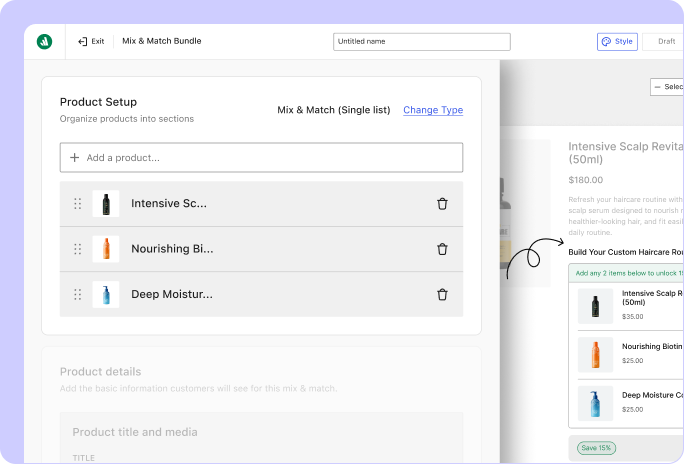
Choose Mix and Match Products
Select the products customers can choose from when building their bundle.
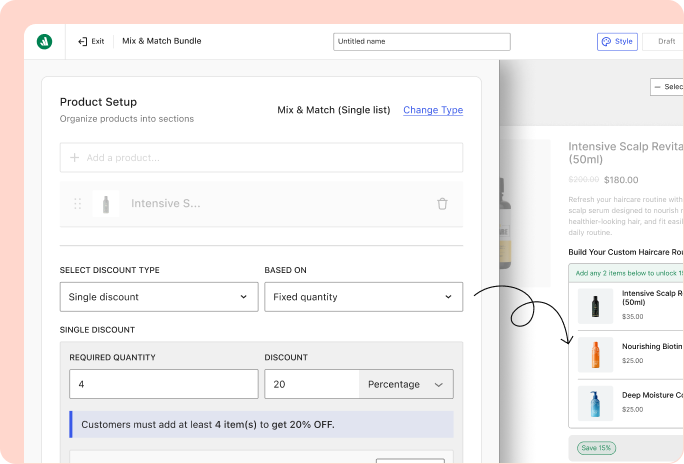
Customize the Discounts
Set the conditions customers need to meet and define the discount or reward they receive.
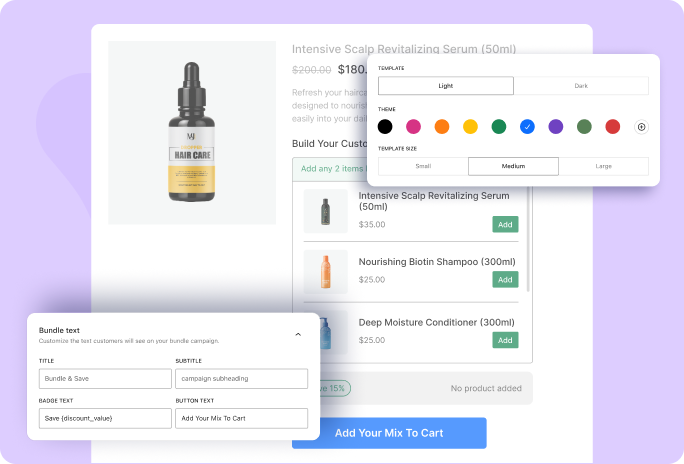
Customize Titles and Colors
Adjust the bundle content and appearance to match your store.
Check out the Most Powerful WooCommerce Mix and Match Plugins
Compare the features that matter most and see which plugin gives you more ways to create flexible Mix and Match bundles while encouraging customers to add more products and increase order value.
Plugin | Notable Features | Best For |
|---|---|---|
WowRevenue | Multiple Mix and Match campaigns, variation product support, tier-based discounts, free gifts, multiple placements, conversion-focused design, and campaign analytics. | Best for WooCommerce stores that want an all-in-one Mix and Match solution with flexible discounts and built-in tools to increase conversions. |
Product Bundles for WooCommerce | Simple, variable, and subscription products, custom bundle pricing, shipping controls, customer quantity selection, optional add-ons, and dynamic bulk discounts. | Best for stores that need flexible product bundles with configurable pricing, quantities, subscriptions, and shipping options. |
Custom Mix & Match Product Boxes & Bundles | Custom product boxes, fixed or dynamic pricing, gift notes, simple and variable product support, and mobile-friendly bundle designs. | Best for gift shops and stores that want customers to create personalized product boxes with flexible pricing. |
Mix and Match Products for WooCommerce | Custom assortments, container size limits, static or per-item pricing, flexible shipping, inventory management, and customizable bundle templates. | Best for stores selling bulk products or assortments that need detailed control over quantities, pricing, shipping, and inventory. |
Frequently Asked Questions
Explore these frequently asked questions about Mix and Match Bundles to find the answers you need and make a confident purchase decision.
Feel free to contact our support team in case you have questions.