
Volume/ Bulk Discount for WooCommerce
Increase your average order value with quantity-based, volume, or Buy X Get Y tiered discounts and display them with a conversion-focused design.


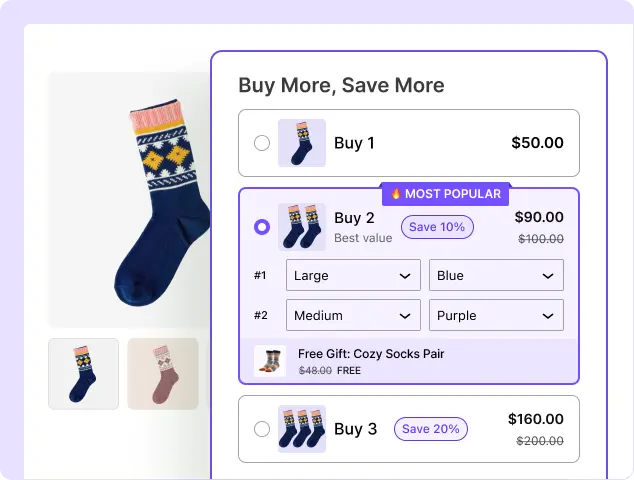
What Is a WooCommerce Bulk Discount and Why Use It?
A WooCommerce bulk discount gives customers a lower price when they purchase a larger quantity of a product. For example, you can offer 10% off when customers buy 5 items, 15% off when they buy 10, or give customers a free product when they reach a specific quantity. Here’s why you should use this:

Boost Your Average Order Value
Encourage customers to add more products to their cart by offering better prices at higher quantities, helping you increase the value of each order.

Turn Small Orders Into Bigger Ones
Use quantity-based discounts to give customers a clear reason to buy more, turning smaller purchases into larger orders without relying on constant promotions.

Make Every Offer More Attractive
Clearly show customers how much they can save at different quantity levels, making bulk offers easier to understand and more compelling to purchase.

Reward Customers Who Buy More
Give customers better prices as their order quantity increases, creating a stronger incentive for high-volume purchases while rewarding larger orders.

Sell More Without Coupon Hunting
Automatically apply quantity-based discounts when customers reach the required tier, so they can enjoy their savings without searching for or entering coupon codes.

Increase Sales With Smart Discounts
Use targeted quantity discounts to encourage larger purchases while keeping your regular product pricing intact and maintaining greater control over your promotions.
4 Ways to Create Bulk Discounts in WooCommerce
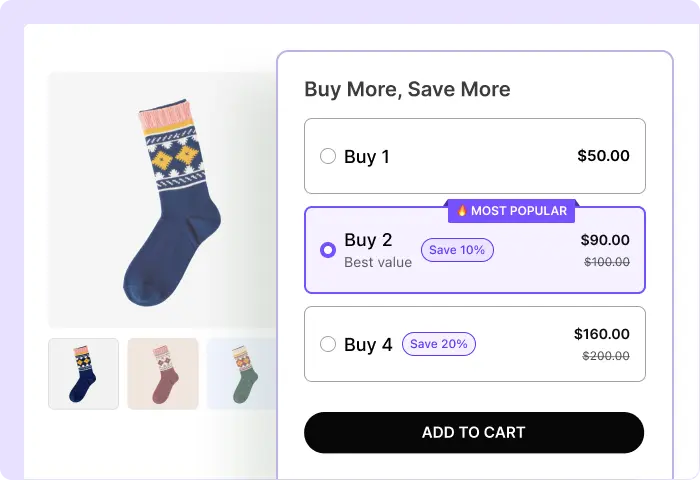
Classic Volume Discounts
Encourage customers to buy more by offering better prices at higher quantities. Set multiple quantity tiers and automatically apply a larger discount as customers add more items to their cart.
Best for:
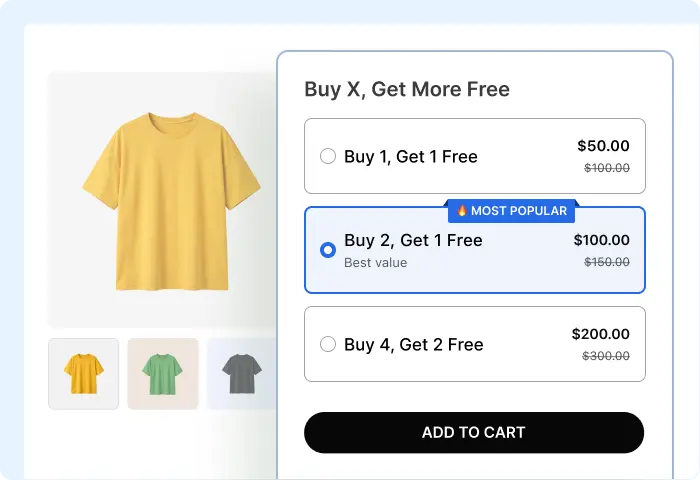
Buy X Get Y Free
Encourage customers to purchase more by offering “buy more, get more” deals that add extra value to every purchase while helping increase order size.
Best for:
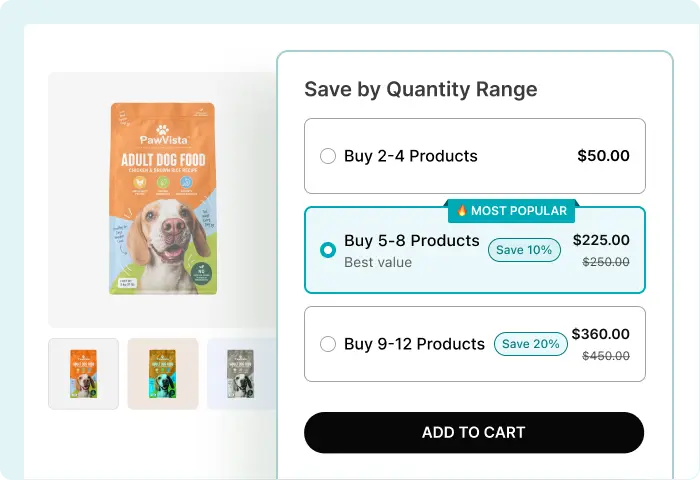
Bulk / Range Quantity Discount
Offer different pricing or discount levels based on quantity ranges, such as 5% off for 5 to 10 items, 10% off for 11 to 20 items, and 15% off for more than 21 items.
Best for:
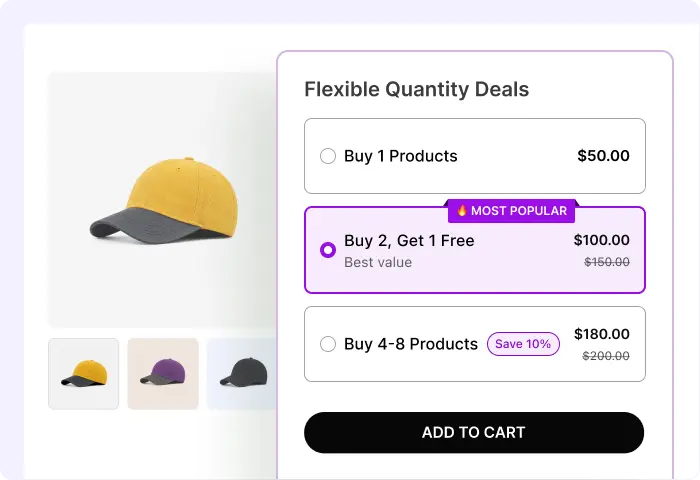
Mixed Volume Offer
Combine quantity discounts and free-product offers in one pricing structure.
Best for:
Create Bulk Discounts for Any Product
Encourage customers to buy more by offering better prices on all products, specific products, or selected categories.
All Products
Apply a bulk discount across your entire store to encourage customers to buy more.
Categories
Offer quantity-based discounts on all products within selected categories.
Specific Products
Create targeted bulk offers for individual products and maximize their sales potential.
Create Bulk Discounts for Variable Products
Offer quantity-based discounts on variable products and give shoppers flexibility in choosing the variations they want.
Apply Discounts to Specific Variations
Choose specific sizes, colors, or other variations and offer bulk discounts when customers purchase more of them.
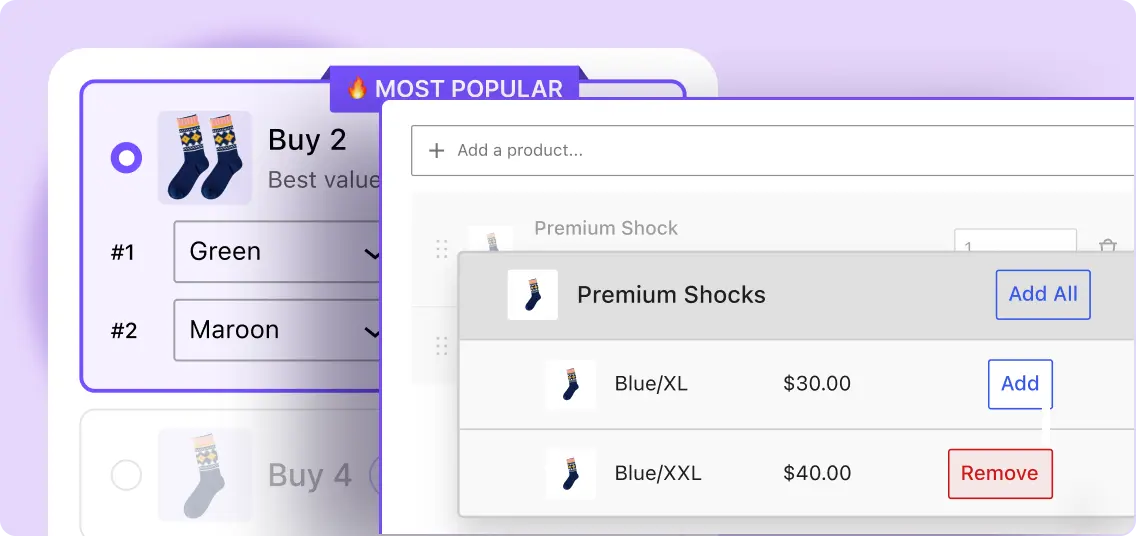
Let Customers Mix Variations
Allow shoppers to combine different variations of the same product to reach the quantity needed for a bulk discount.
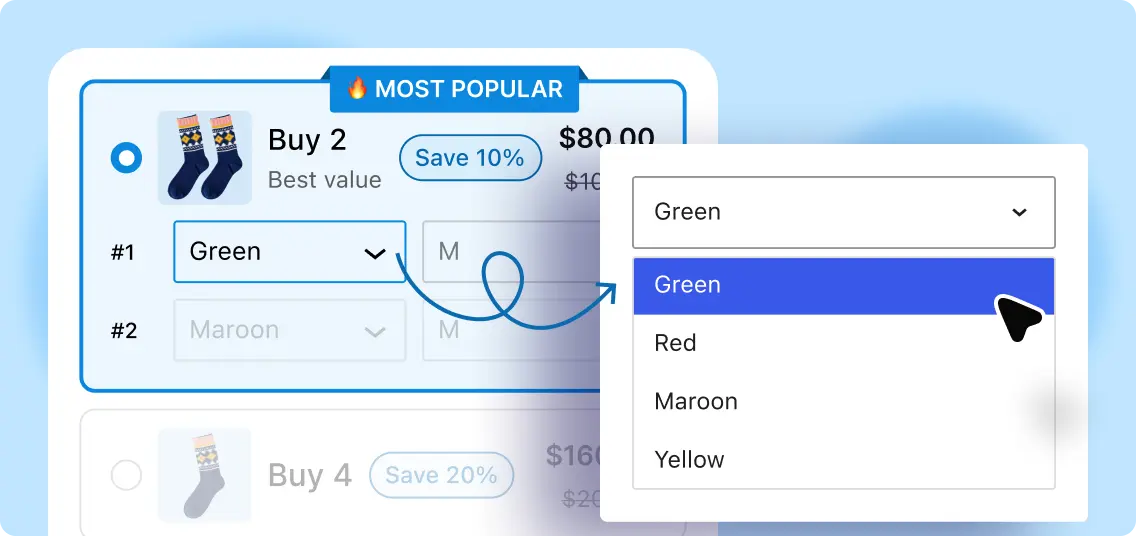
More Than Just Quantity Discounts
Go beyond simple price reductions with features that make your bulk offers more valuable and encourage customers to buy more.

Free Shipping
Encourage customers to increase their order quantity by offering free shipping when they reach a specific quantity or meet a defined order threshold.

Free Gift
Reward customers for purchasing more by automatically offering a free product when they reach a selected quantity tier, adding extra value to larger orders.

Upsell
Add additional products to specific quantity tiers and offer them at a discount to encourage more purchases.

Price Per Product
Show the exact price per item at each quantity tier, so customers can instantly see how much they save.

Product Images
Show tier-based product images to make your offers more engaging and help buyers see exactly what they’re getting.
Make Your Best Deals Stand Out
Make your discount tiers easy to understand and highlight the offers
that encourages customers to buy more.
Selected Tier by Default
Preselect the tier you want to promote most, so customers see your preferred offer first and are more likely to choose it.
“Most Popular” Tier
Highlight your preferred quantity as “Most Popular” to draw attention to the offer you want customers to choose.
Savings Display
Highlight the discount amount so customers can see exactly how much they can save at each quantity tier and understand the value of buying more.
Product Specific Prices
Show the per-item price for each quantity tier, so customers can easily compare prices and see the benefit of buying more.
WooCommerce Bulk Discount Examples
See how different types of stores can use quantity-based discounts to encourage larger purchases and increase order value.

Clothing Store
Offer 10% off when customers buy 3 or more T-shirts, making it easier to turn single-item purchases into larger orders.

Grocery Store
Give customers 15% off when they buy 5 or more items. Perfect for encouraging shoppers to purchase their everyday essentials.

Print Shop
Create tiered pricing that rewards larger orders. For example, 10% off for 10 to 20 items and 20% off for 21 to 50 items.
Gift Store
Encourage customers to purchase multiple gifts with offers like Buy 3, Get 1 Free to increase order size.

B2B Store
Offer exclusive quantity-based prices when businesses order 10 or more units, making high-volume purchasing more attractive.

Wholesale Store
Set progressive discounts that give customers better prices as their order quantity increases, ideal for wholesalers and bulk buyers.
Why Use WowRevenue for Bulk Discounts?
Create flexible bulk discount offers that encourage customers to buy more, increase order value, and give you greater control over your store’s pricing strategy.
4 Bulk & Volume Offer Types
Create Classic Volume, Buy X Get Y, Range Quantity, and Mixed Volume offers to build flexible discount campaigns that encourage customers to purchase more.
Flexible Targeting
Apply discounts across your entire store, selected product categories, or individual products to create targeted offers that fit your pricing strategy.
Conversion-Focused Design
Highlight your discount tiers with clear, engaging designs that make savings easy to understand and encourage customers to increase their order quantity.
Variable Product Support
Let customers mix and match different product variations, such as sizes, colors, or other options, while still qualifying for your bulk discount offers.
How to Offer Bulk Discount in WooCommerce
Create bulk discounts in three simple steps and optimize every offer for higher conversions.
Choose Products
Select all products, specific categories, or individual products you want to include.
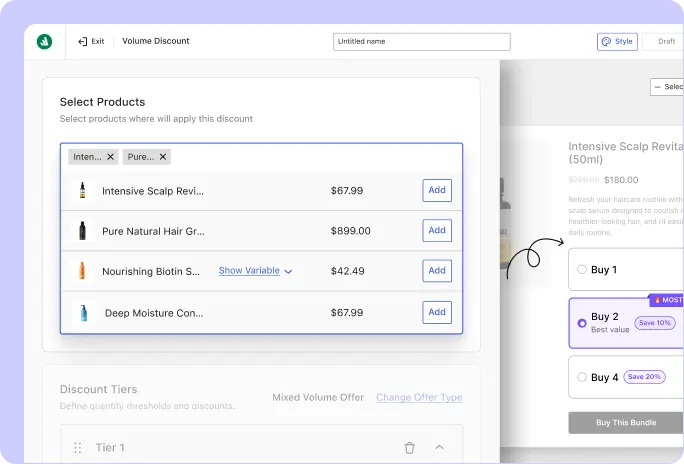
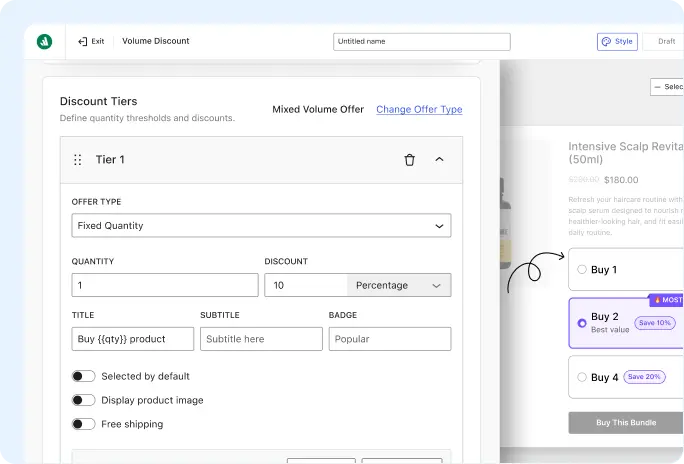
Set Discounts
Define quantity tiers and set the discount or offer for each tier.
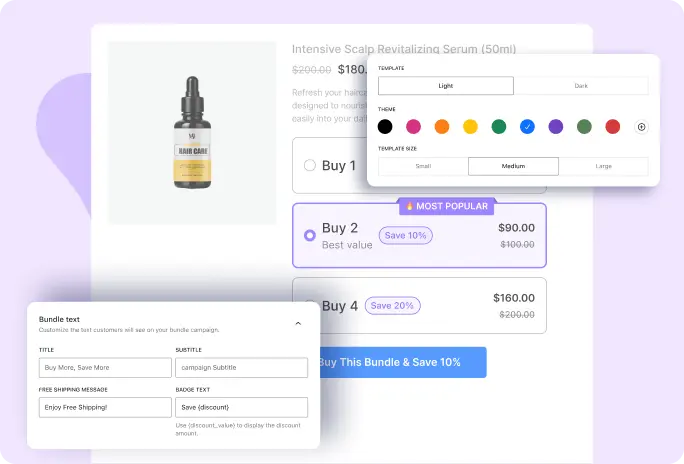
Customize & Publish
Customize how your discount appears to customers, then publish your offer.
See Why WowRevenue Stands Out as a Powerful Bulk Discount Plugin for WooCommerce
Compare the features that matter most and see how WowRevenue gives you more ways to create flexible, engaging, and conversion-focused bulk discount offers.
Plugin | Notable Features | Best For |
|---|---|---|
WowRevenue | Classic Volume Discounts, Buy X Get Y, Mix & Match, Frequently Bought Together, Volume/Range Discounts, discounted upsells, free gifts, free shipping, tier-based product images, savings displays, and conversion-focused offer designs. | Best for WooCommerce store owners who want multiple ways to build bulk and bundle discount campaigns and present them in a way that encourages customers to buy more. |
WholesaleX | Wholesale pricing, B2B user roles, tiered pricing, product/category pricing, bulk order forms, registration forms, and tax controls. | Best for WooCommerce stores that need a complete B2B and wholesale solution with role-based pricing and bulk purchasing features. |
Discount Rules for WooCommerce | Bulk and quantity discounts, tiered pricing, product/category targeting, variation-based discounts, BOGO, bundle discounts, conditional rules, and discount tables. | Best for stores that need flexible discount rules and conditions for different pricing scenarios. |
Advanced Dynamic Pricing for WooCommerce | Multiple pricing rules, rule combinations and priorities, role-based pricing, cart conditions, BOGO, gifts, and automatic discounted product additions. | Best for stores that need advanced pricing logic and complex rule combinations. |
Frequently Asked Questions
Explore these frequently asked questions about bulk discounts to find the answers you need and make a confident purchase decision.
Feel free to contact our support team in case you have questions.