
The Global Style settings in WowRevenue let you control the overall appearance of your bundle widgets from one place. Changes made here automatically apply the selected style and behavior across all applicable widgets storewide.
How to Configure Global Styles
Go to the Style section of your WowRevenue campaign.
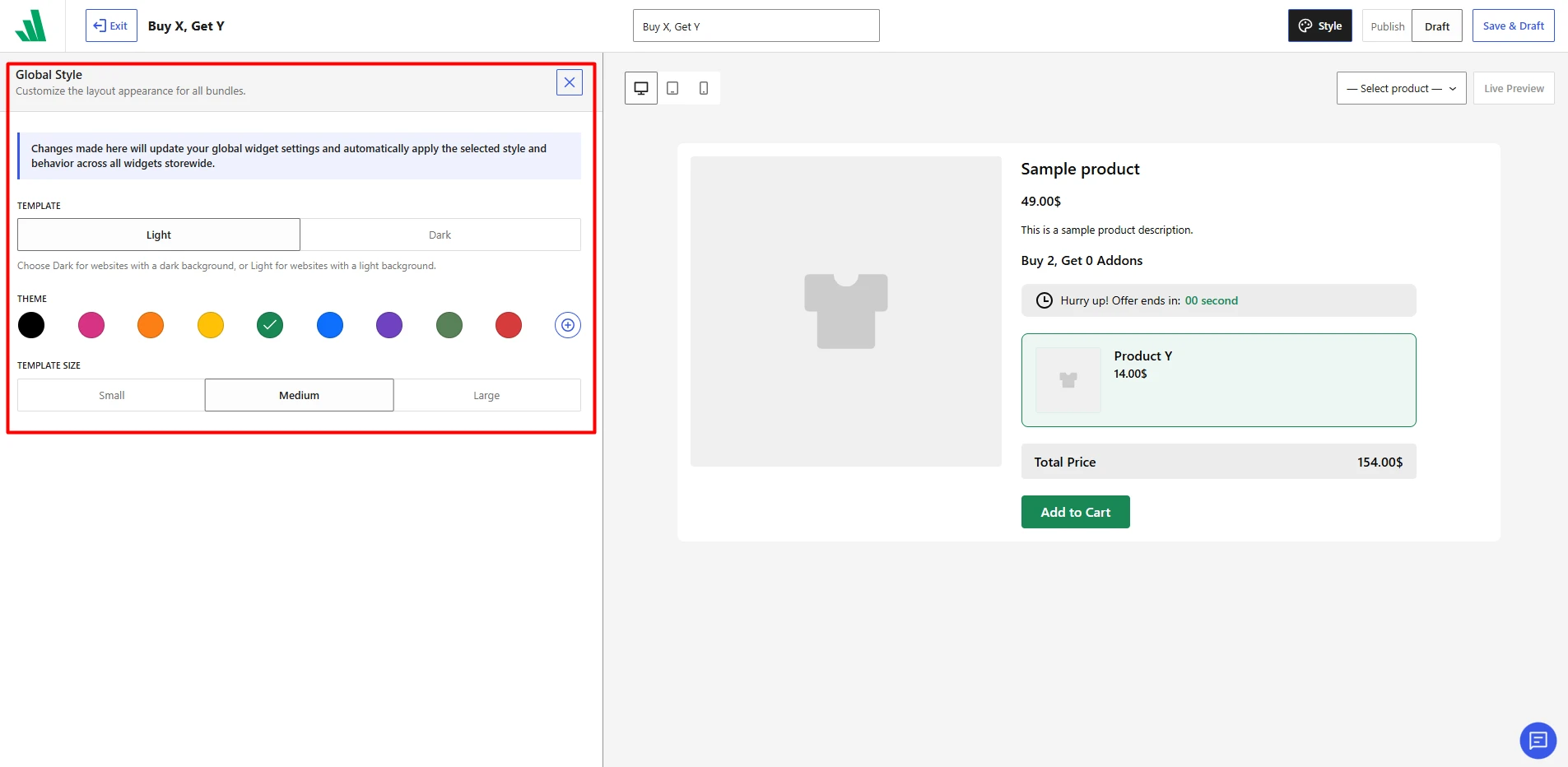
You can customize the following options:
- Template
Choose Light or Dark based on your website background. Light works best with lighter store designs, while Dark is suitable for darker layouts. - Theme Color
Select one of the available preset colors to match your store branding. You can also use the custom color option to choose your preferred theme color. - Template Size
Choose between Small, Medium, and Large to control the overall size of the bundle widget.
Preview Your Changes
Use the preview area on the right to see how your selected styles will look on the product page. You can also switch between desktop, tablet, and mobile views to check responsiveness.
Once you are satisfied with the design, click Save & Draft or publish your changes.